Pi Zero UPS USB HUB
Compatible with Raspberry Pi Zero series, Uninterruptible Power Supply, 3-Port USB2.0, Battery Monitoring
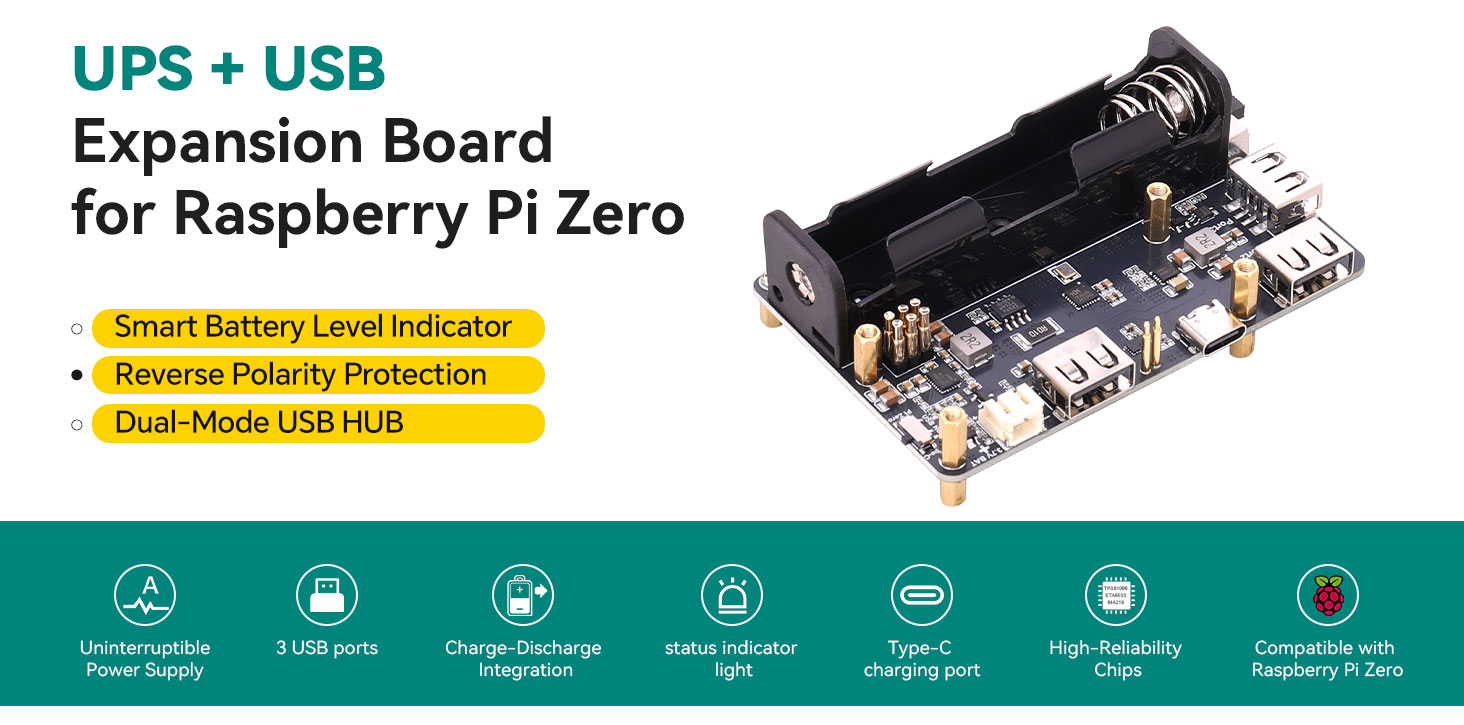
Pi Zero UPS USB HUB
Compatible with Raspberry Pi Zero series, Uninterruptible Power Supply, 3-Port USB2.0, Battery Monitoring
I. Product Introduction
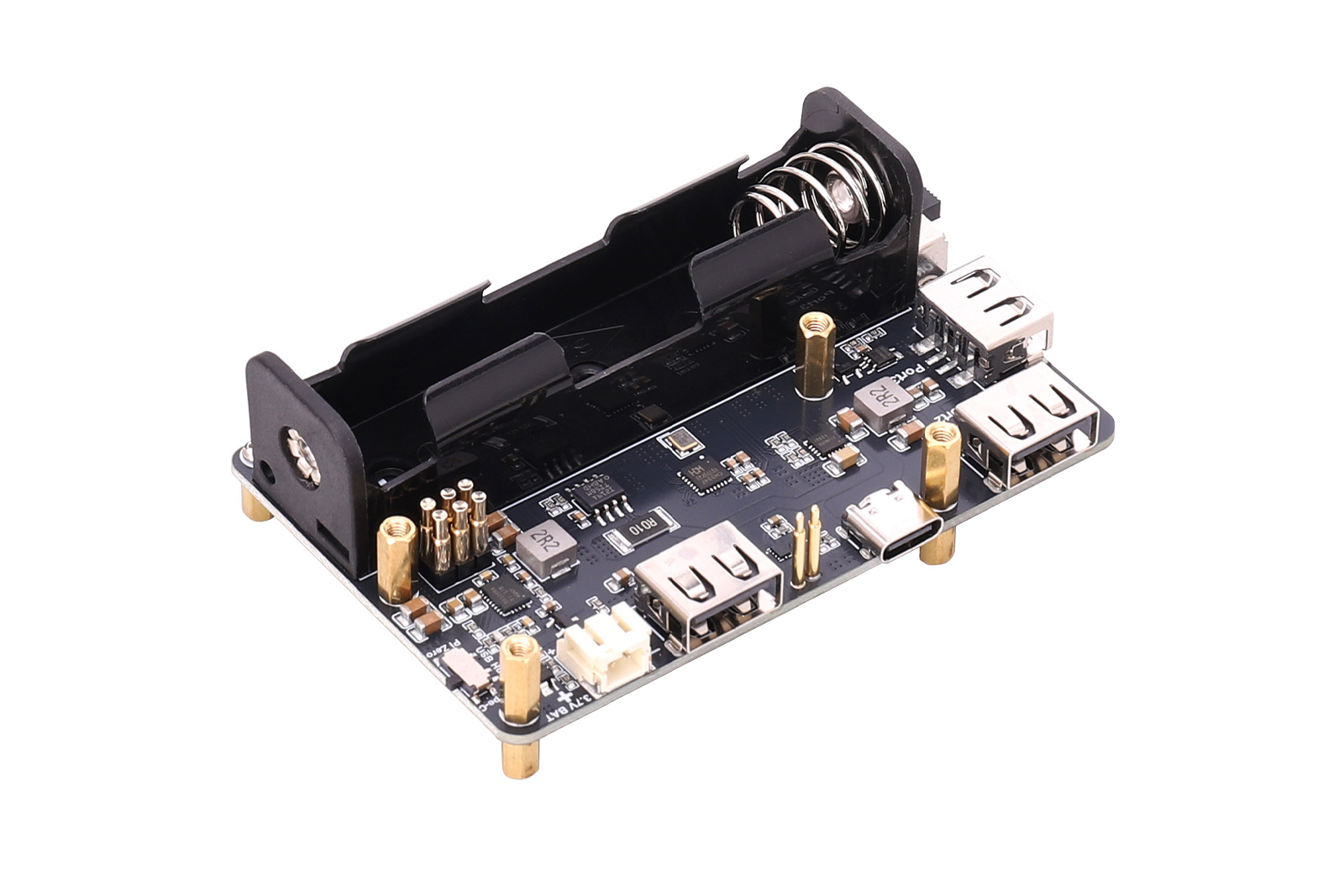
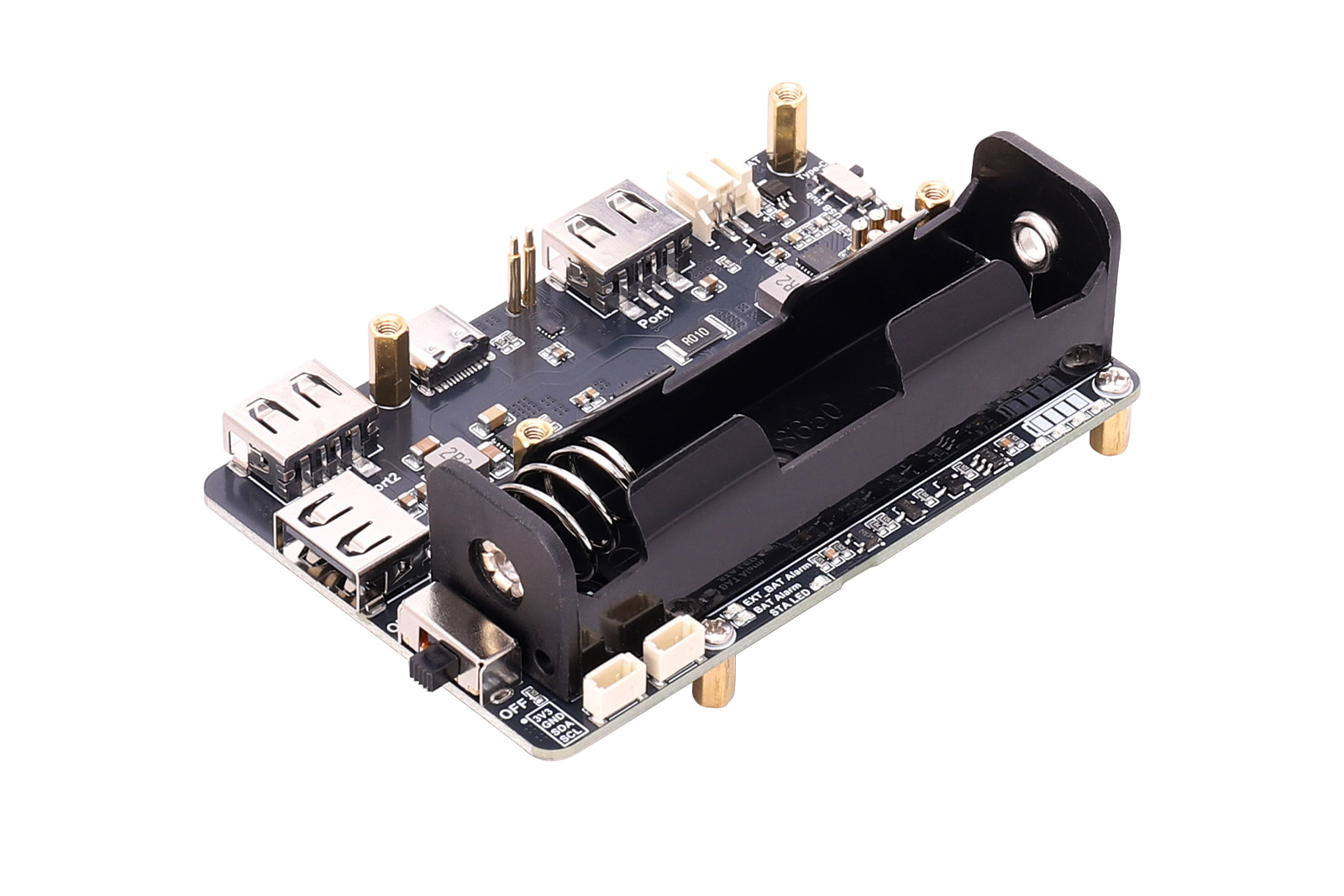
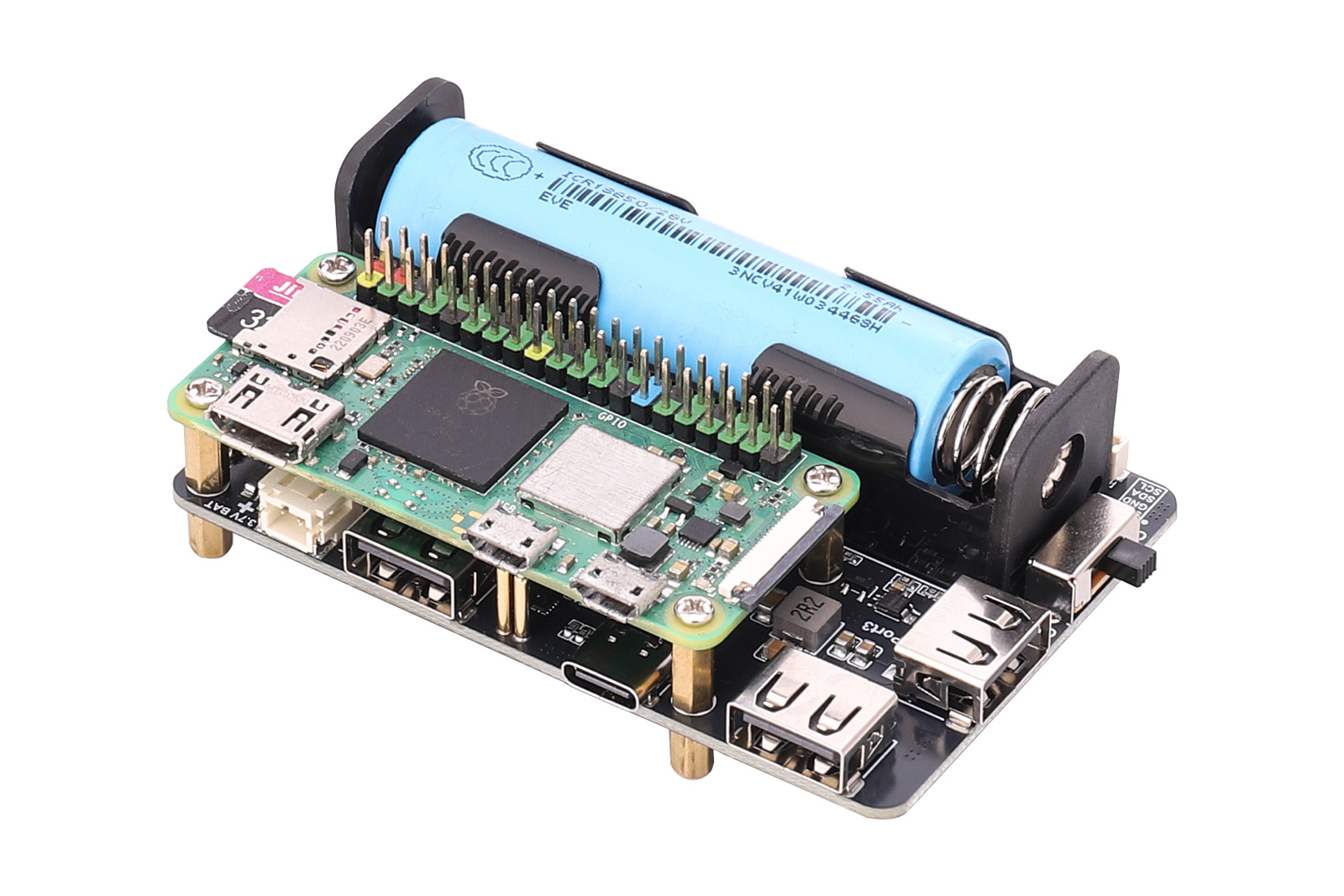
The Pi Zero UPS USB HUB is an uninterrupted power supply (UPS) expansion board designed specifically for the Raspberry Pi Zero series. It combines efficient power management and USB expansion functionality, providing a stable and reliable power source that ensures continuous system operation during power interruptions.
The compact board integrates an 18650 battery holder and an external lithium battery connector, supporting flexible battery configuration options. With intuitive battery level and charging status indicators, users can easily monitor real-time power conditions.
Additionally, it features three USB 2.0 ports, allowing users to switch between Normal USB HUB Mode and Pi Zero USB HUB Mode via a hardware toggle switch. Its built-in reverse-polarity protection prevents battery connection errors, ensuring safe operation.
This module provides Raspberry Pi Zero developers with an efficient and dependable power and expansion solution.
II. Product Features
- Uninterrupted Power Supply: Onboard power-path management chip enables rapid charge/discharge switching for seamless power transition.
- USB Expansion Function: Three USB 2.0 Type-A ports with selectable Normal USB HUB Mode or Pi Zero USB HUB Mode.
- Battery Level Display: Onboard LED driver chip provides intuitive four-segment battery level indication.
- Power Monitoring: Integrated boost converter and battery monitoring chip (INA219) enable real-time monitoring of voltage, current, and power, ensuring a stable 5 V output.
III. Product Parameters
Item | Specification |
Model | Pi Zero UPS USB HUB |
USB Interface | 3 × USB 2.0 |
Battery Monitoring Chip | INA219 |
Communication Interface | I²C |
Battery Interface | 18650 battery holder and PH2.0 2-pin 3.7 V lithium battery connector |
Output Voltage | 5 V |
Mounting Hole Diameter | 2.5 mm |
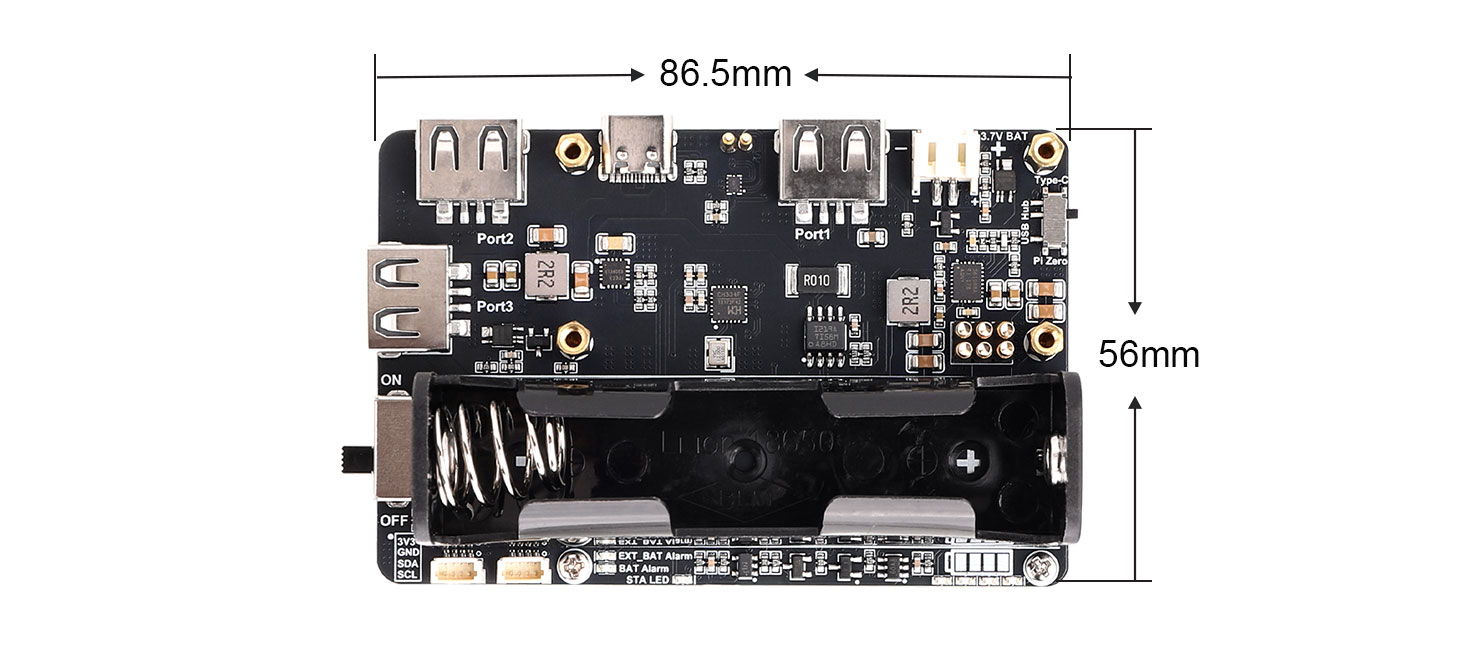
Dimensions | 87 mm (L) × 57 mm (W) |
Dual-mode USB hub switch
Normal Mode / Pi Zero Mode | One-Switch Toggle
Normal Mode
When toggled toward Type-C:It operates in Normal USB HUB Mode, allowing 3 USB 2.0 expansions for any device via a single Type-C data cable.Power switch must be ON to enable 5 V output.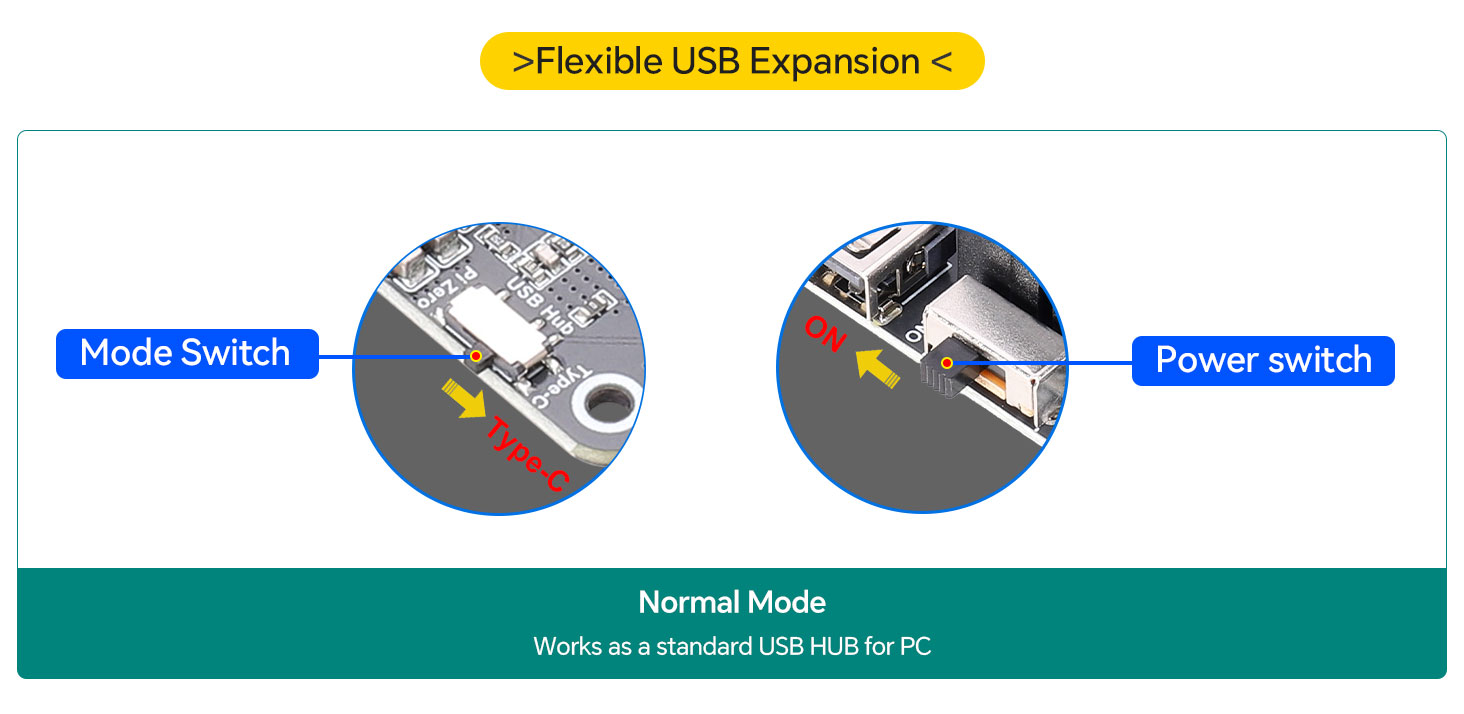
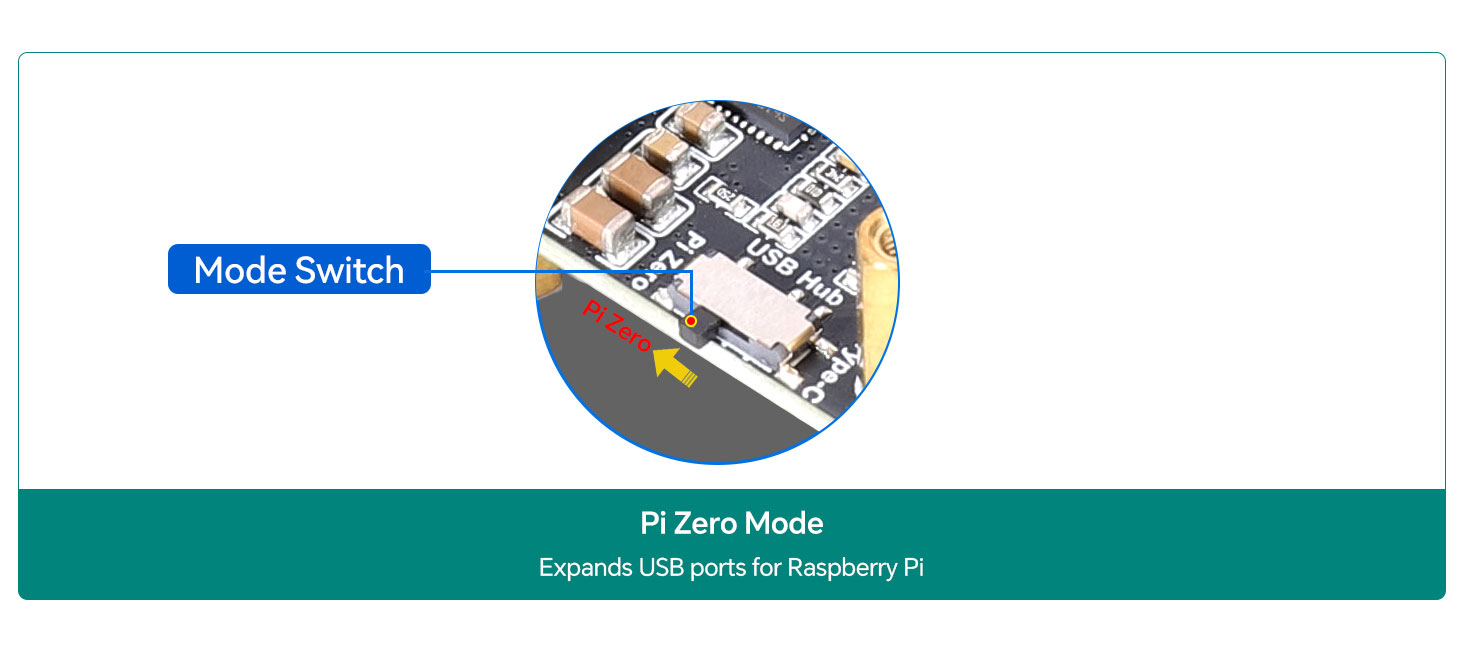
Pi Zero Mode
Battery Installation and Protection
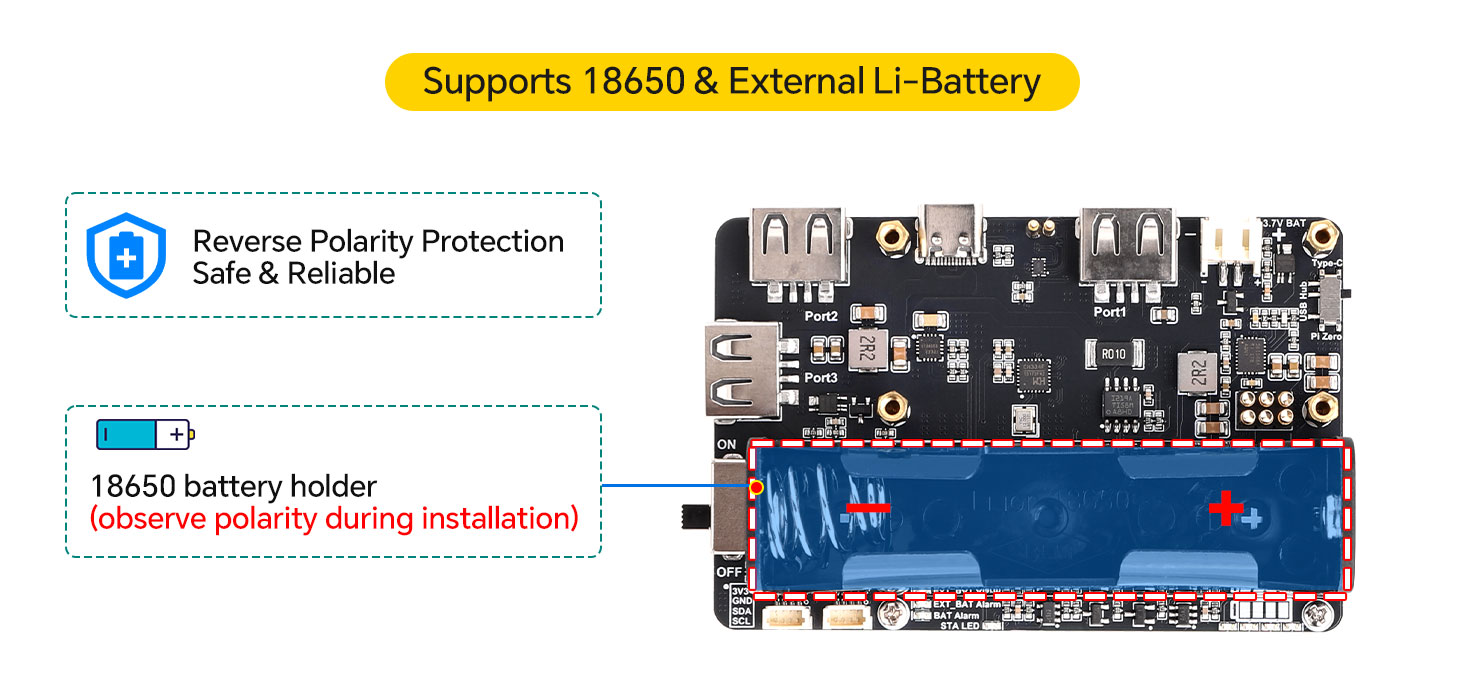
Dual Reverse Polarity Protection
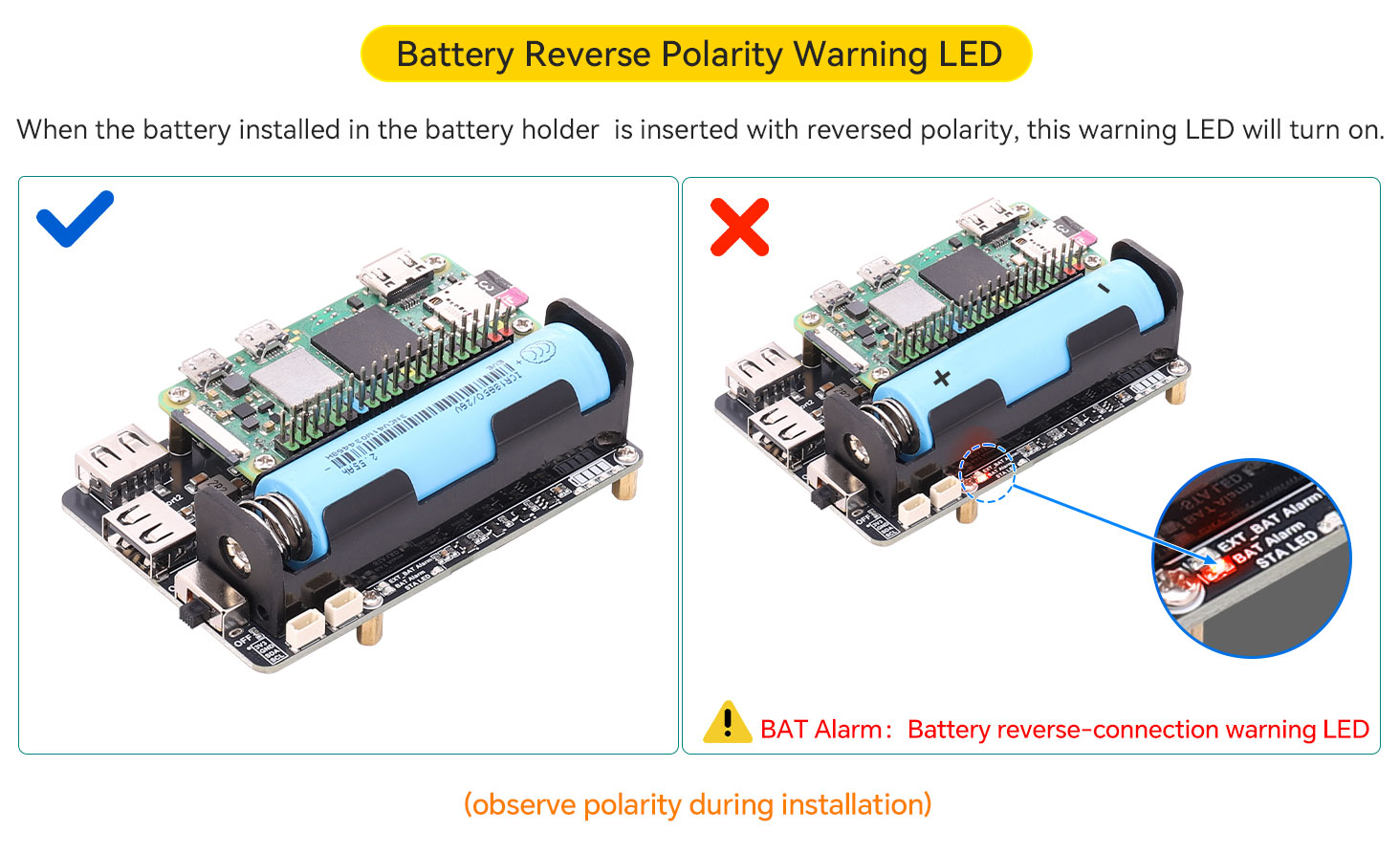
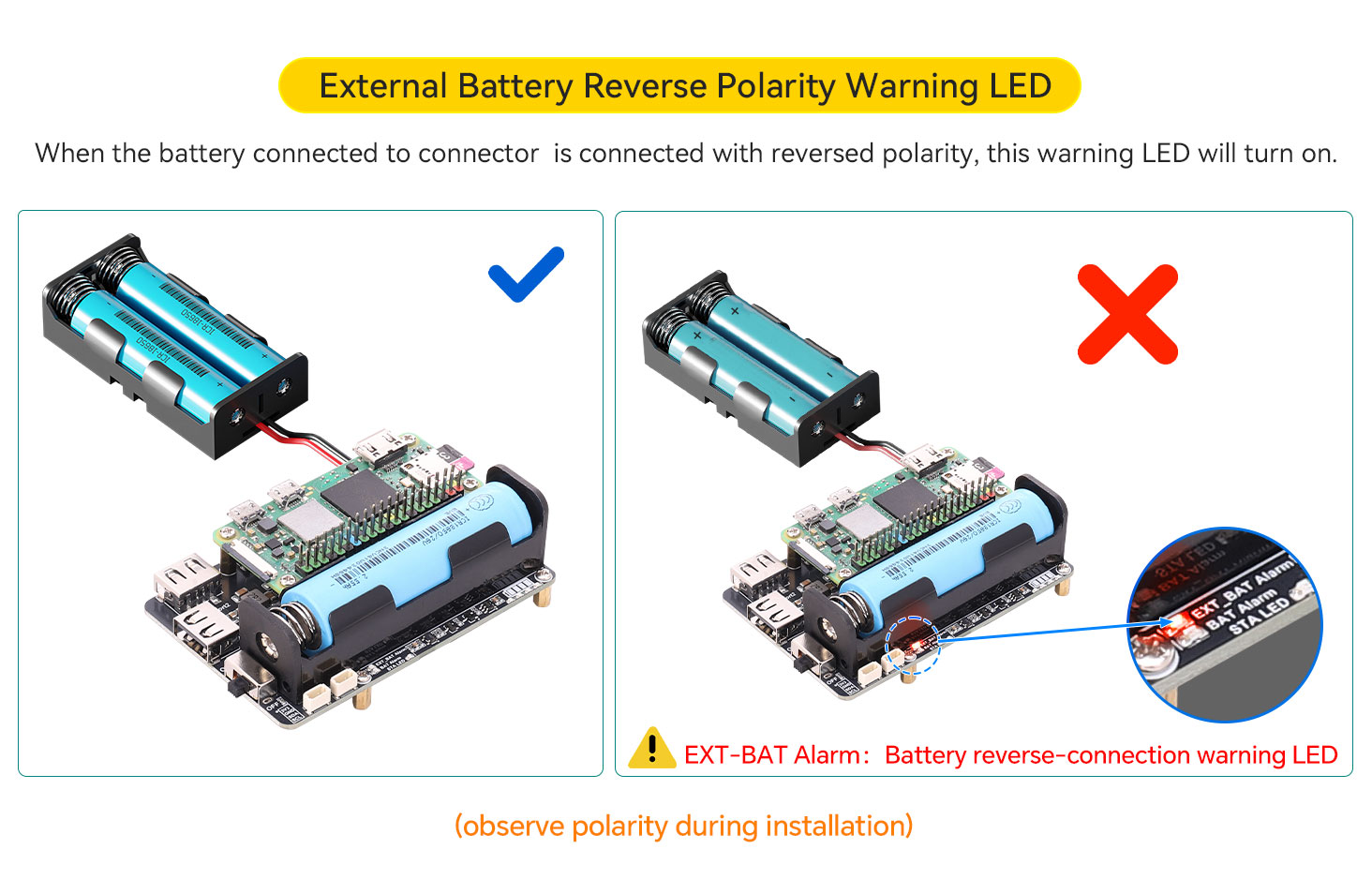
Battery Power Display System and Monitoring
Four LEDs provide a four-level battery indicator, allowing users to intuitively understand the current battery status.Battery Monitoring: INA219 sensor monitors voltage, current, and power via I²C. 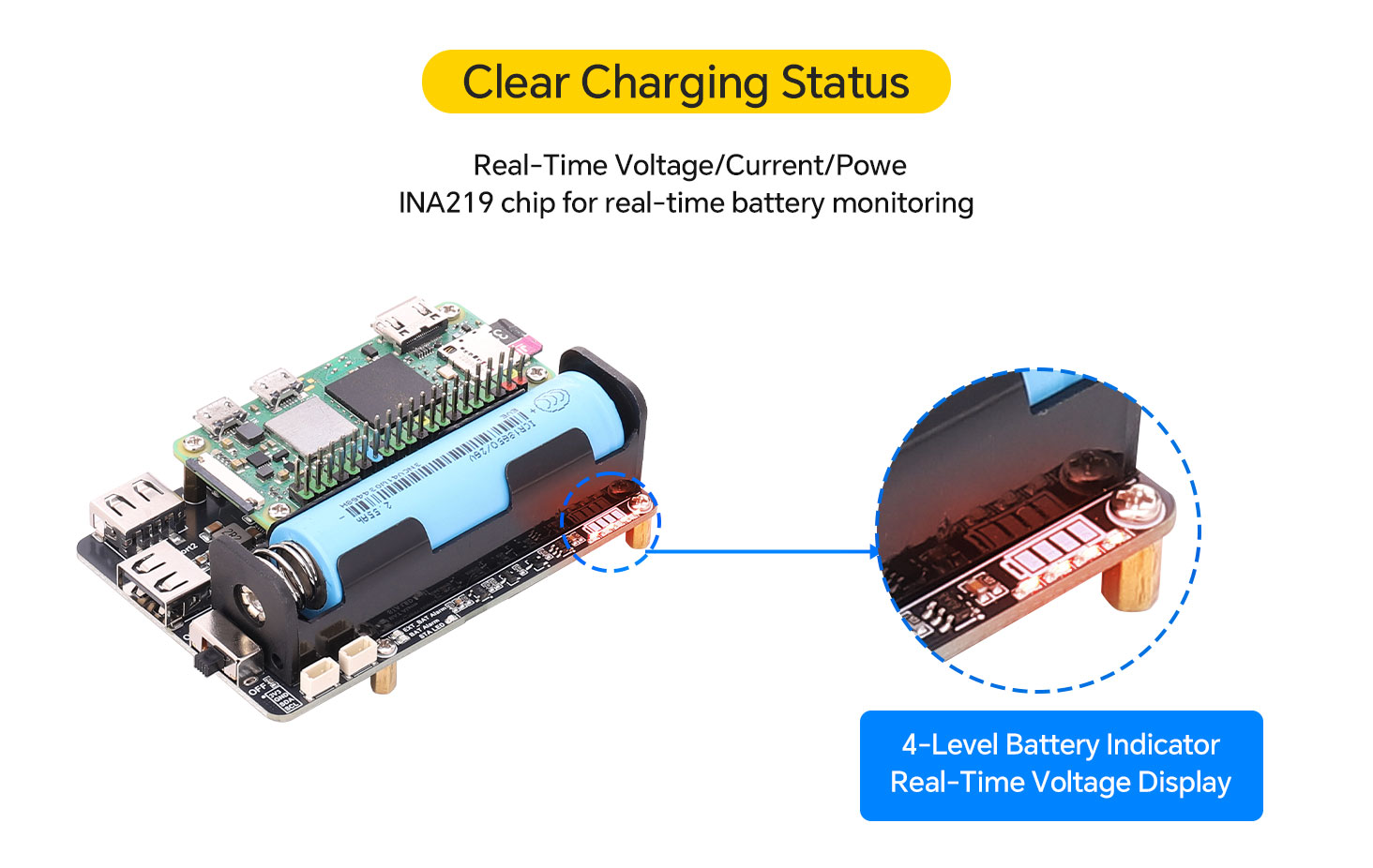
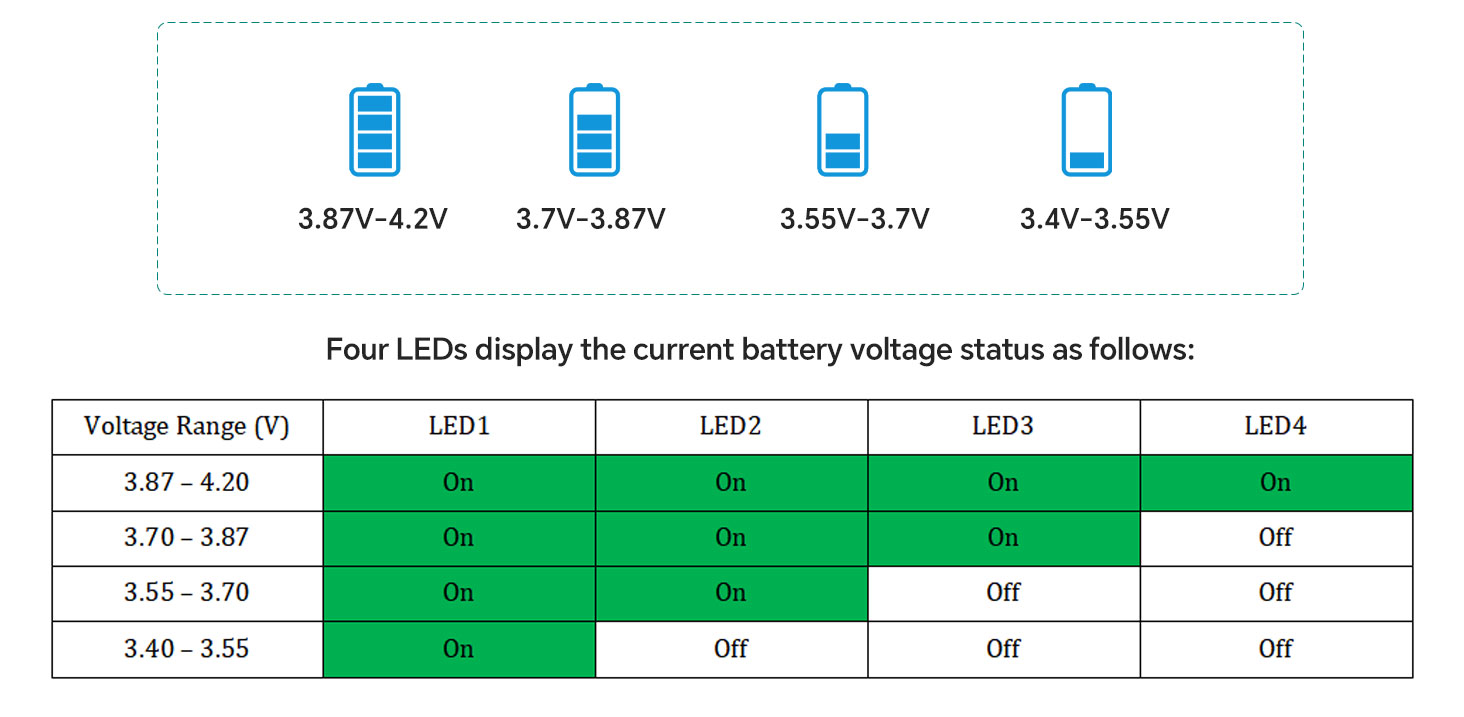 In discharge mode: when the power switch is set to ON, the LEDs dynamically display the remaining battery level; when set to OFF, the output is disabled and the LEDs turn off simultaneously.In charging mode: the CHRG red indicator remains ON during charging and turns OFF when fully charged.When no battery is connected and the board is powered via USB, the CHRG indicator will flash.
UPS Uninterrupted Power Supply
Continuous Power During Outage | Charge & Use Simultaneously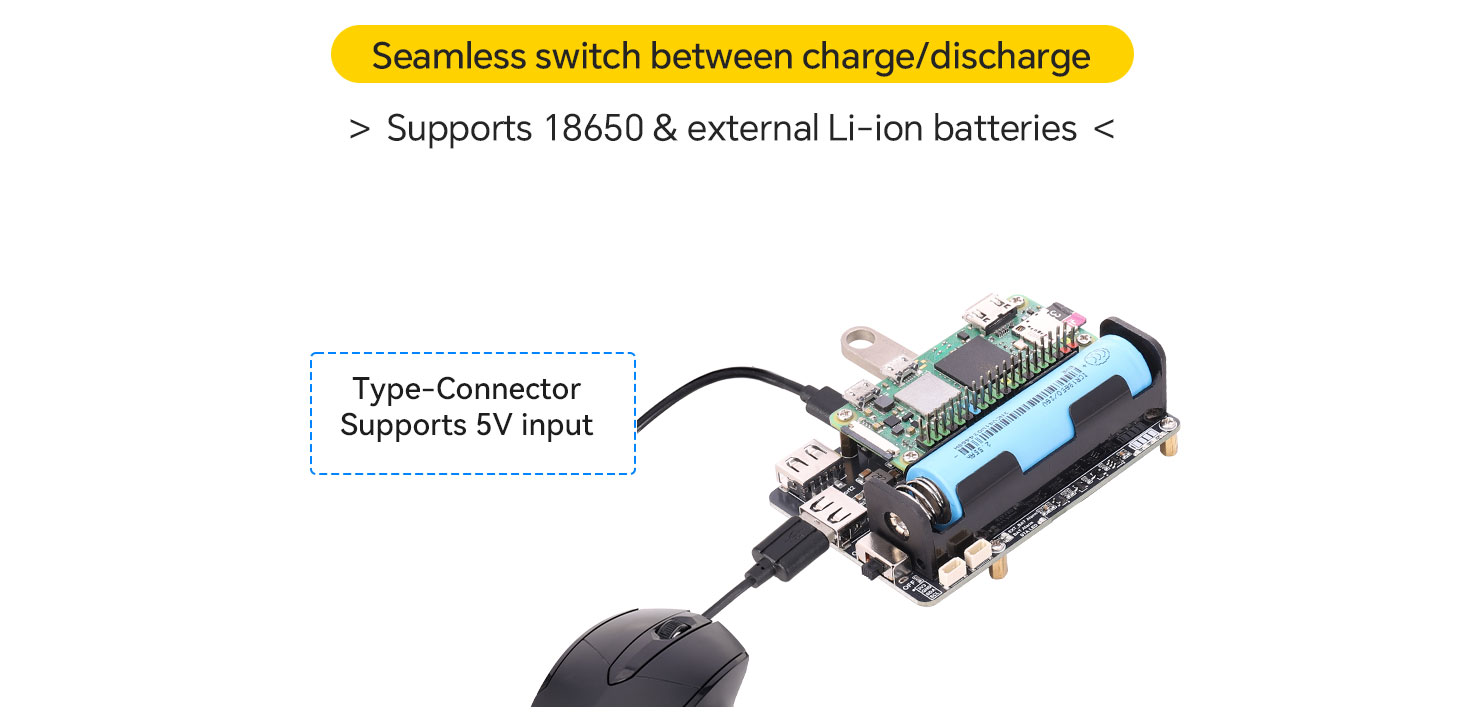
Usage Flowchart
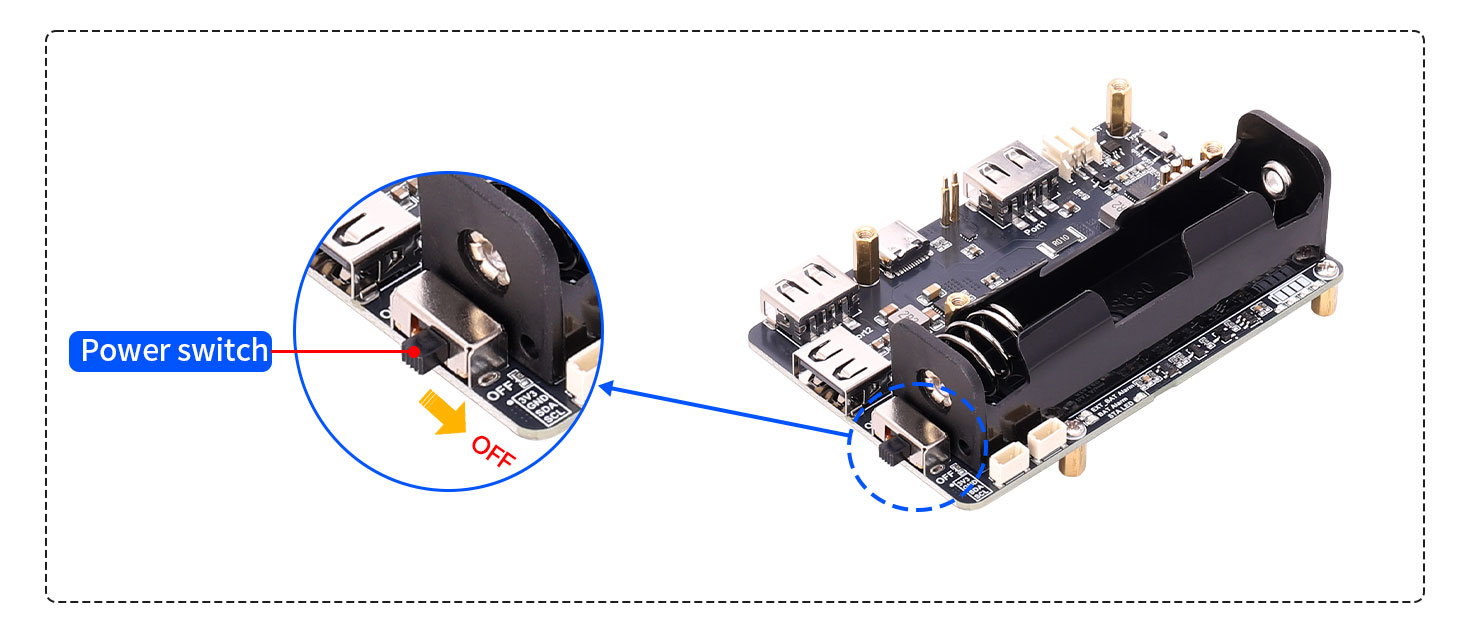
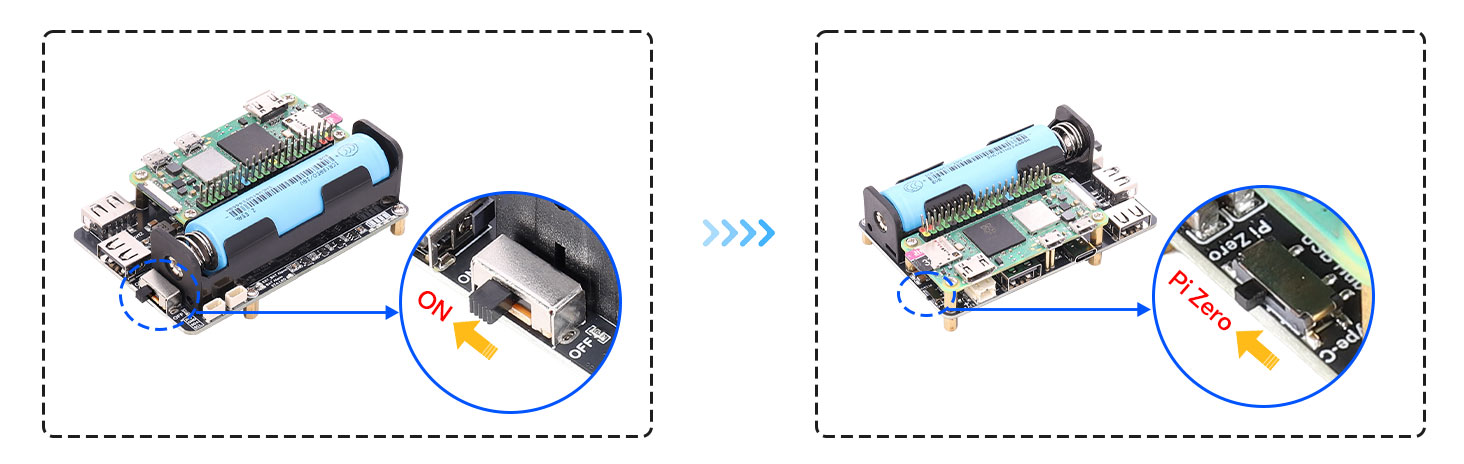
Step one:Turn the power switch off
Before Assembly: Ensure the power slide switch on the extension board is set to the "OFF" position, disconnecting the 5V output.
 Step TWO:Main Board Installation
Align the Raspberry Pi Zero main board with the power, communication, and USB header pins on the extension board. Use the provided M2.5 standoffs and screws to securely fasten the main board to the extension board, ensuring no misalignment exists between them.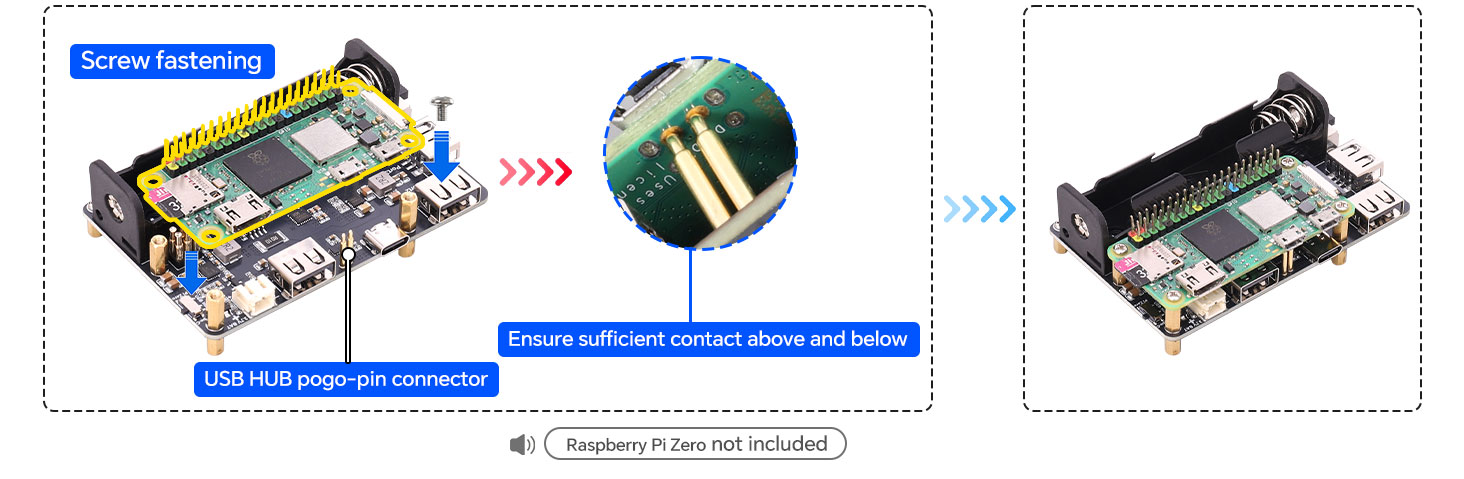
Step three:Connecting the Battery
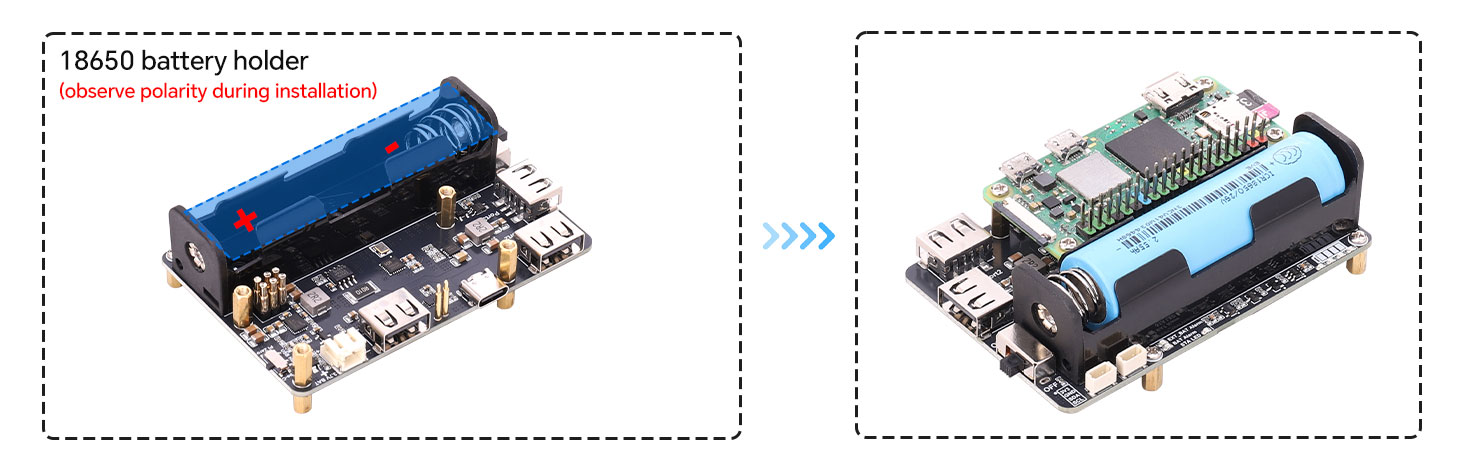
Step Four:Powering On
Module Resources
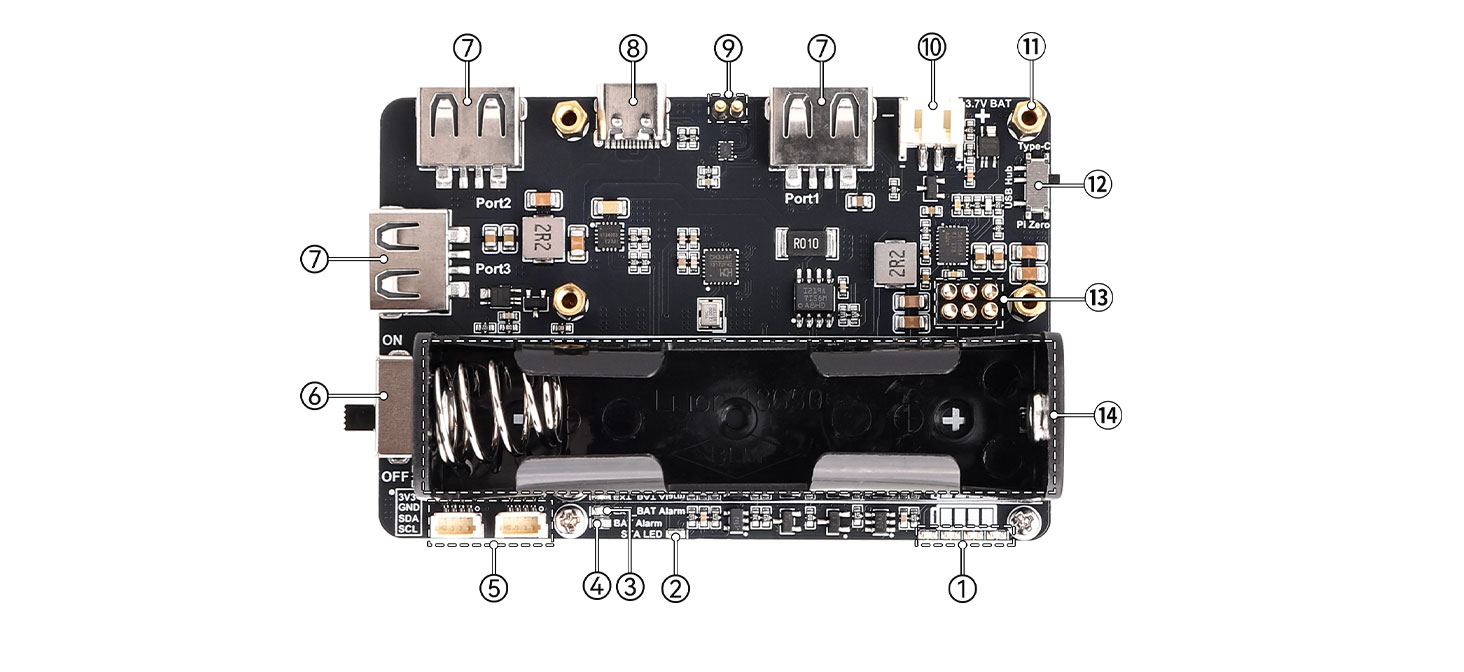
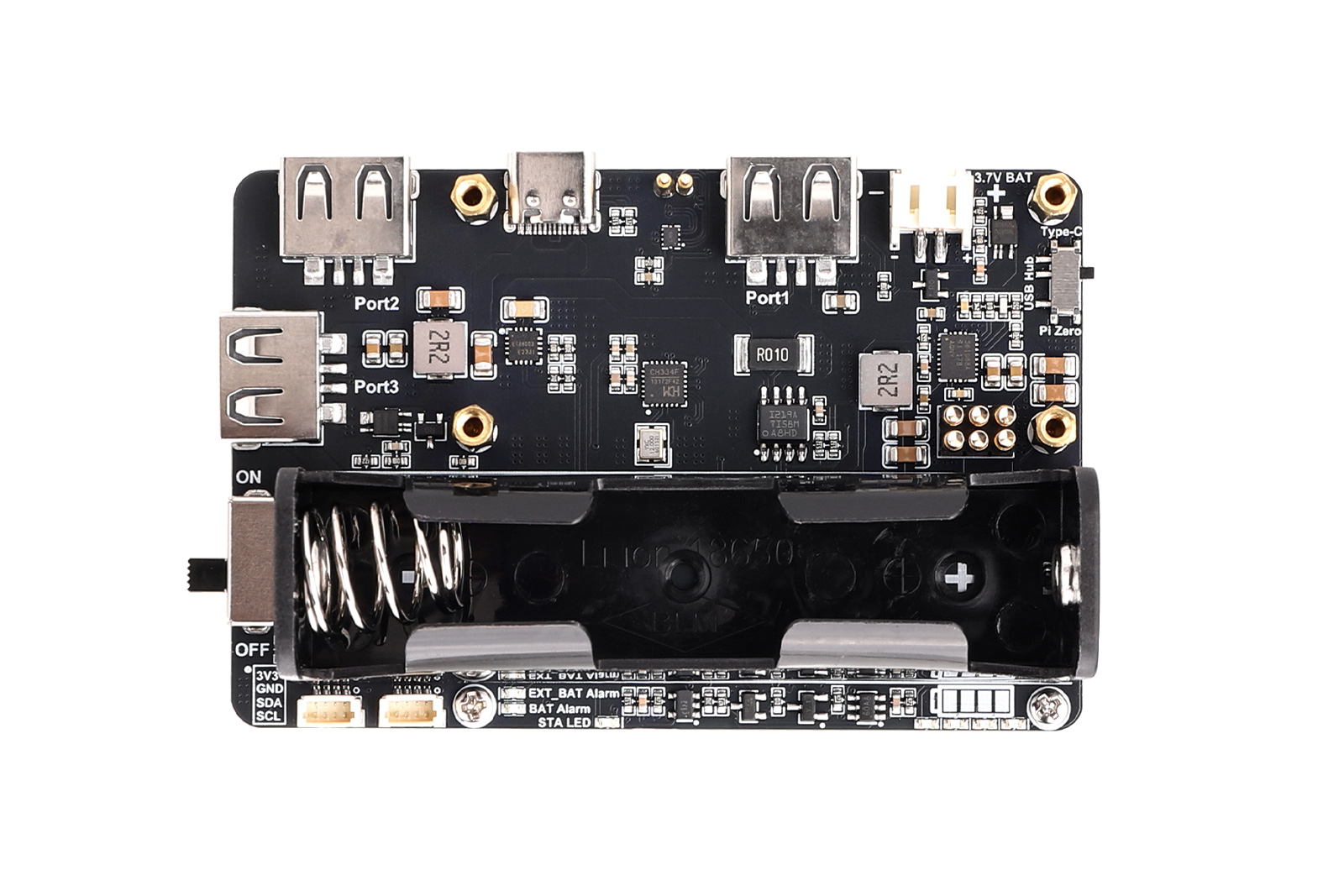
① Battery Capacity Indicator
② Charging Status Indicator
③ External Battery Reverse Polarity Warning LED: When the battery connected to connector ⑩ is connected with reversed polarity, this warning LED will turn on.
④ Battery Reverse Polarity Warning LED: When the battery installed in the battery holder ⑭ is inserted with reversed polarity, this warning LED will turn on.
⑤ 1.0 mm Pitch 4-Pin I2C Connector: Breaks out the Pi Zero's 3V3, GND, SDA.1, and SCL.1 pins.
⑥ Power Switch
⑦ USB 2.0 Type-A Female Port
⑧ Type-C Connector: Supports 5V power input and USB HUB function.
⑨ USB HUB Pogo Pins
⑩ PH2.0 2-Pin 3.7V Lithium Battery Expansion Connector: Pay attention to the positive and negative polarity when connecting the battery.
⑪ M2.5 Mounting Hole
⑫ Function Mode Switch: Used to switch between standard USB HUB mode and Pi Zero USB HUB mode.
⑬ Power & Communication Pins
⑭ 18650 Battery Holder: Supports installation of a protected 3.7V lithium battery. Pay attention to the positive and negative polarity when installing the battery.
Product Size
Wiki
https://seengreat.com/wiki/189
Package Contents
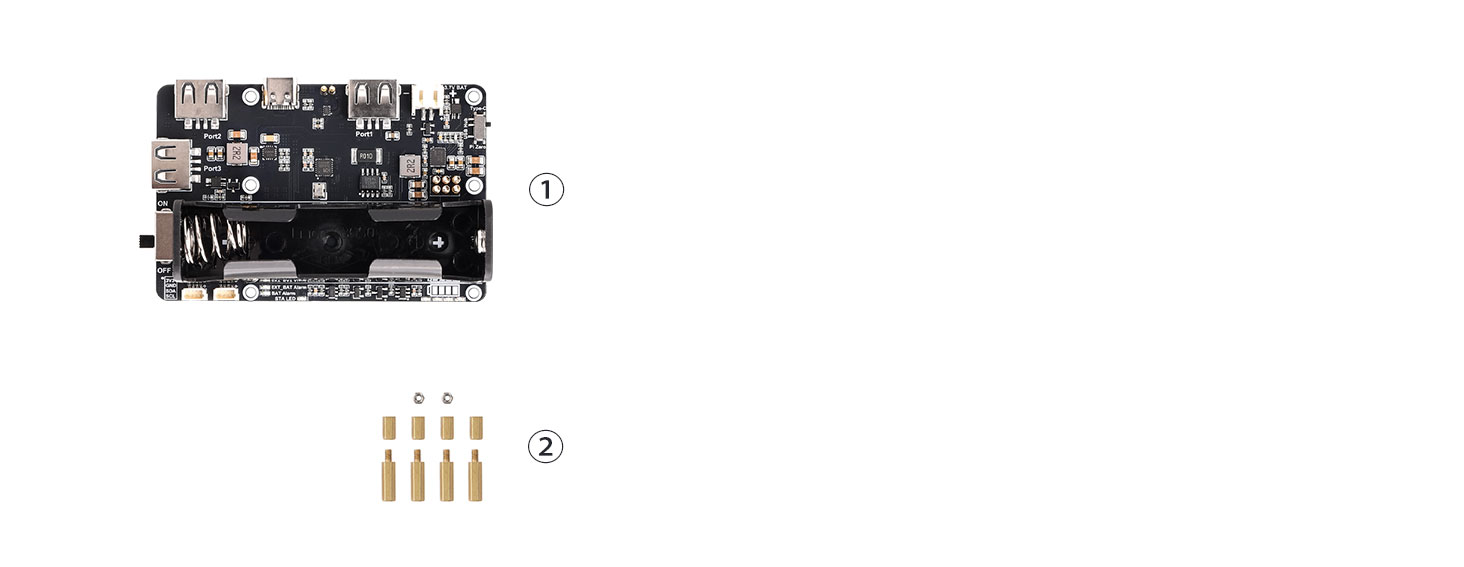
①.Pi Zero UPS USB HUB Model x1
②Copper Post Accessory Kit x1