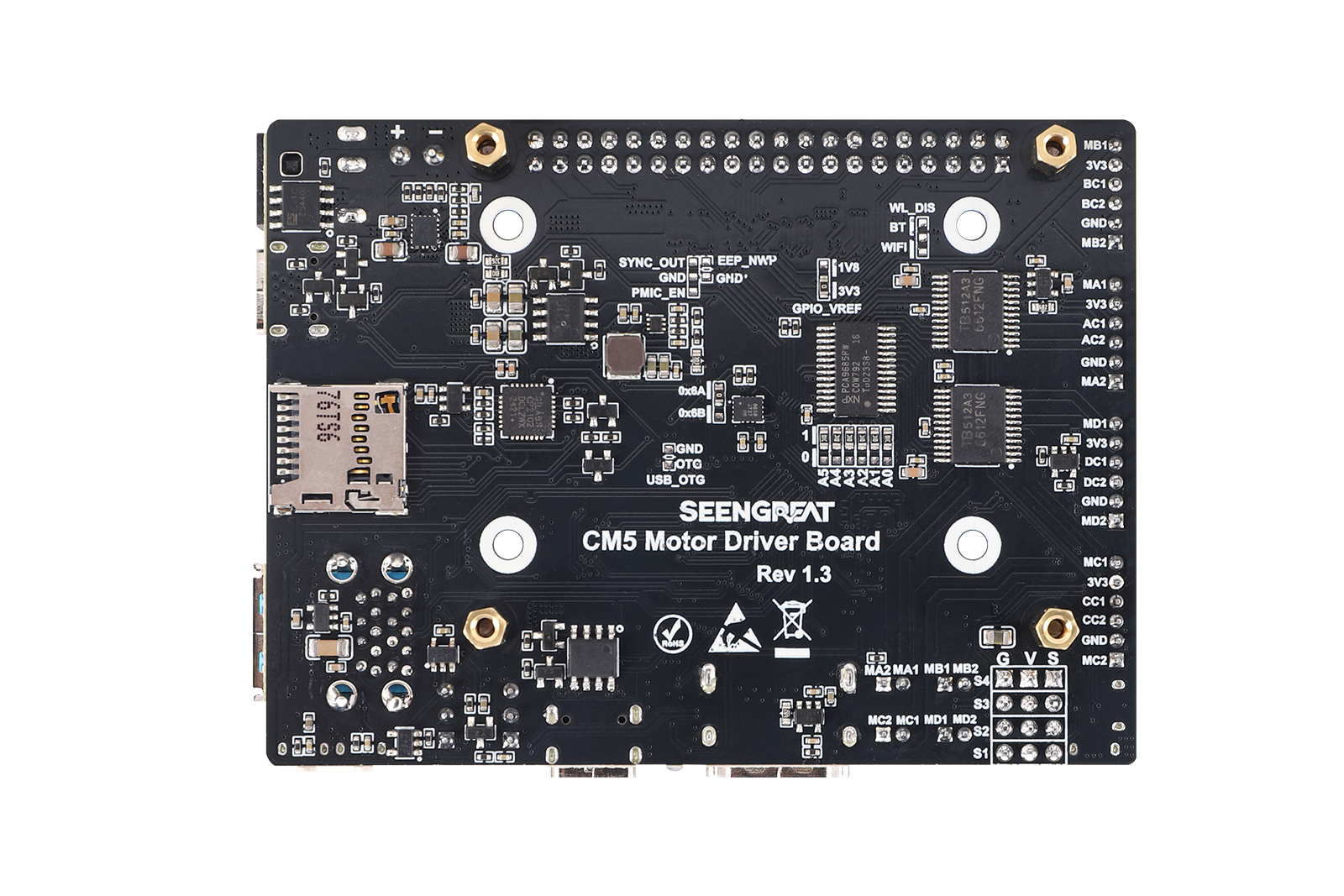
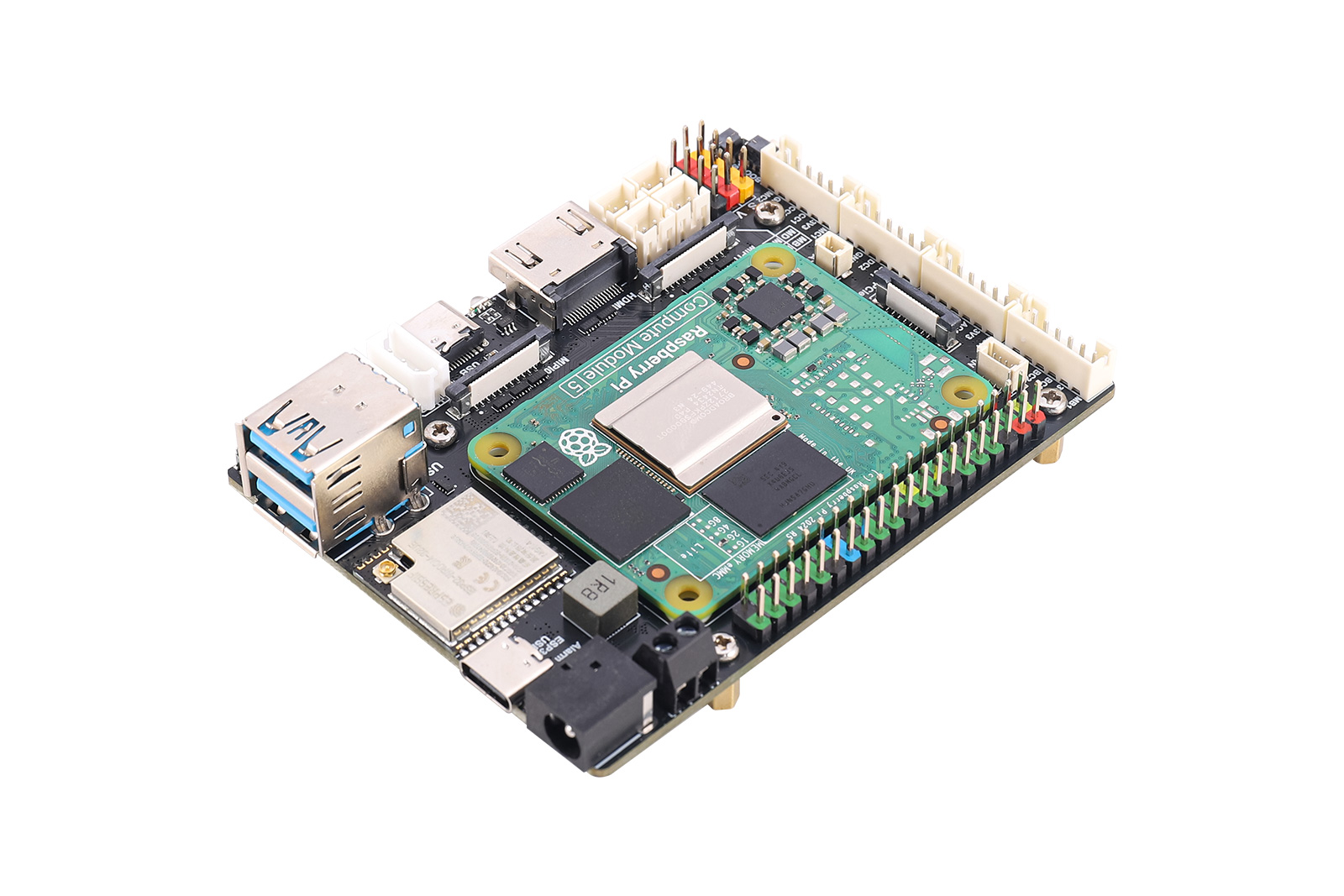
CM5 Motor Driver Board
Professional Robotics & Embedded Solutions
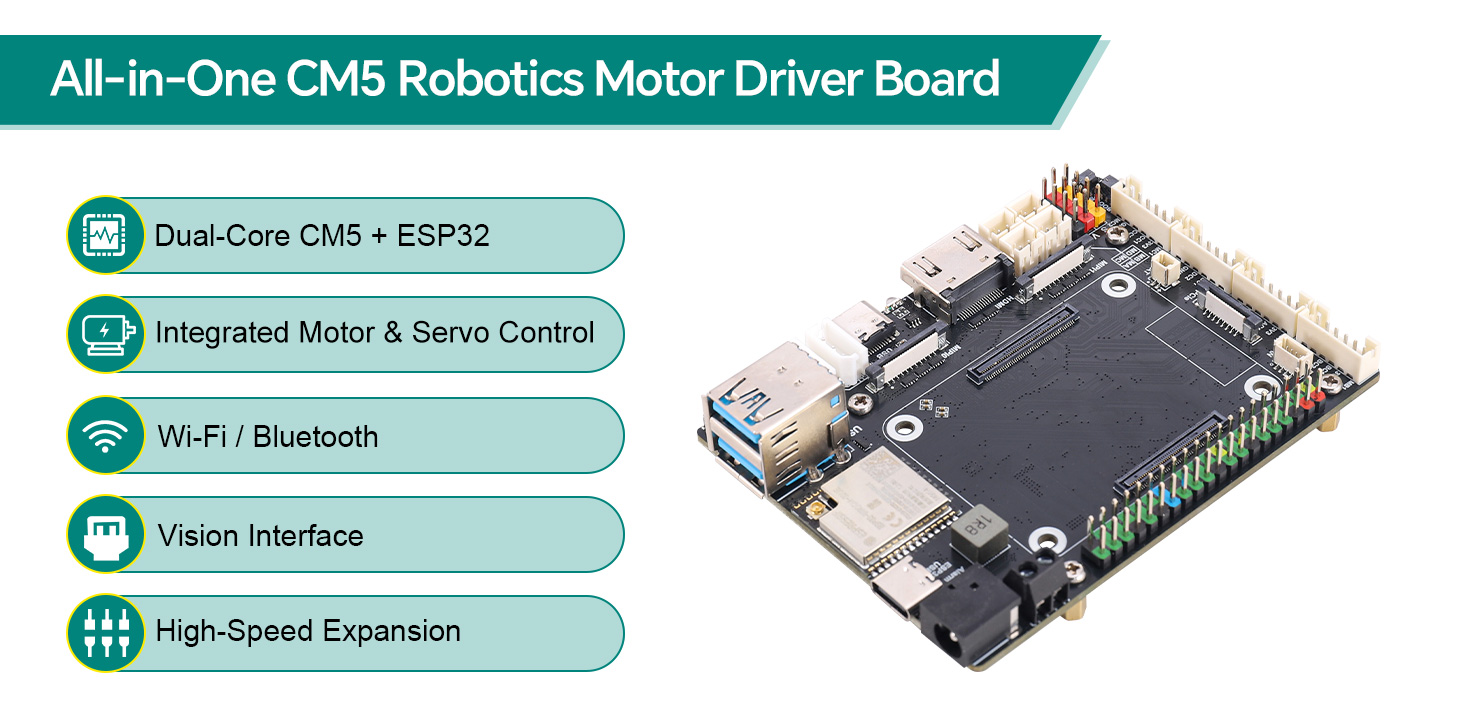
ⅠProduct Overview
Raspberry Pi CM5 Motor Driver Board ESP32 Module Robot Driver BoardBus Servo Motor DC Motor Digital Servo CM5 Expansion Board
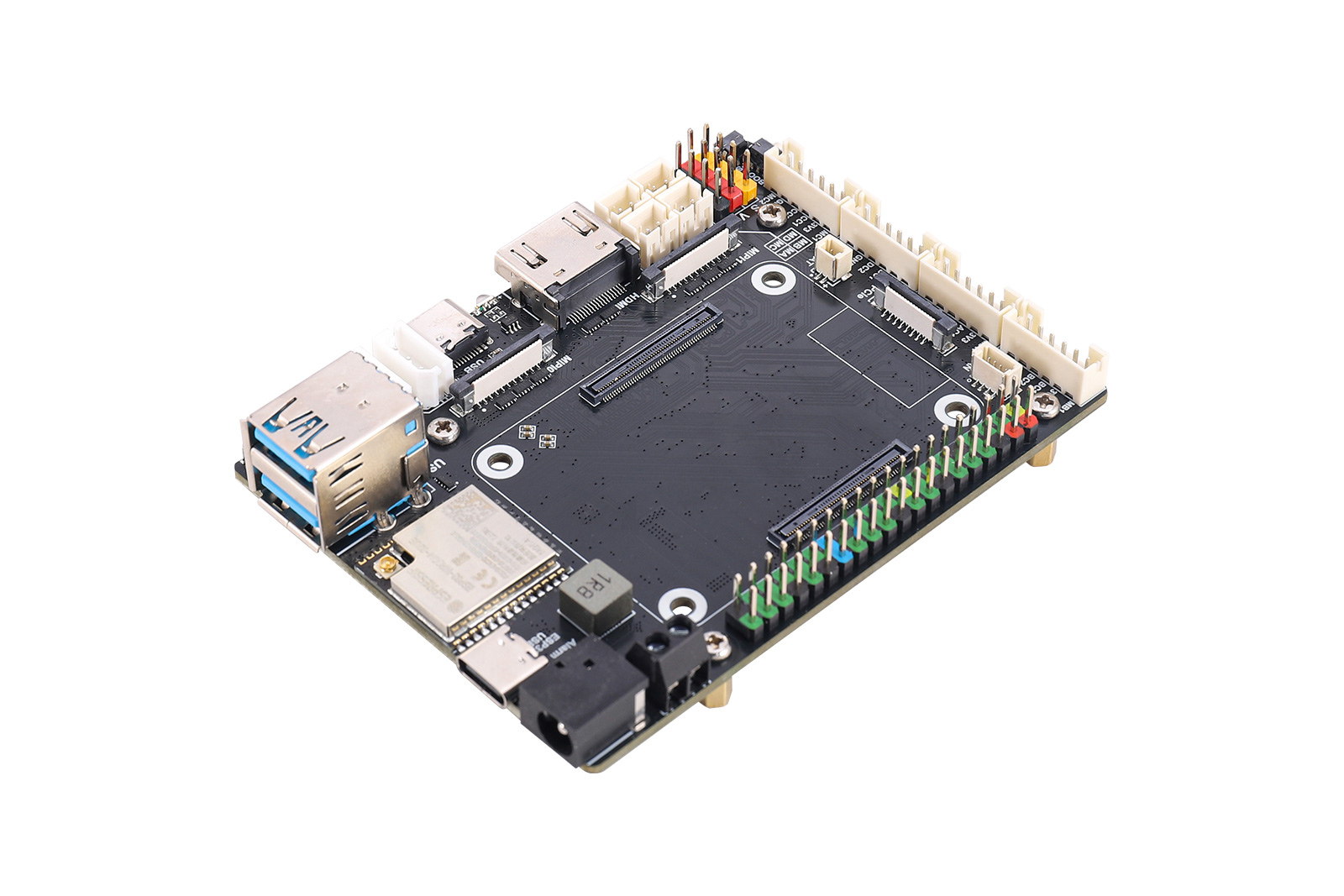
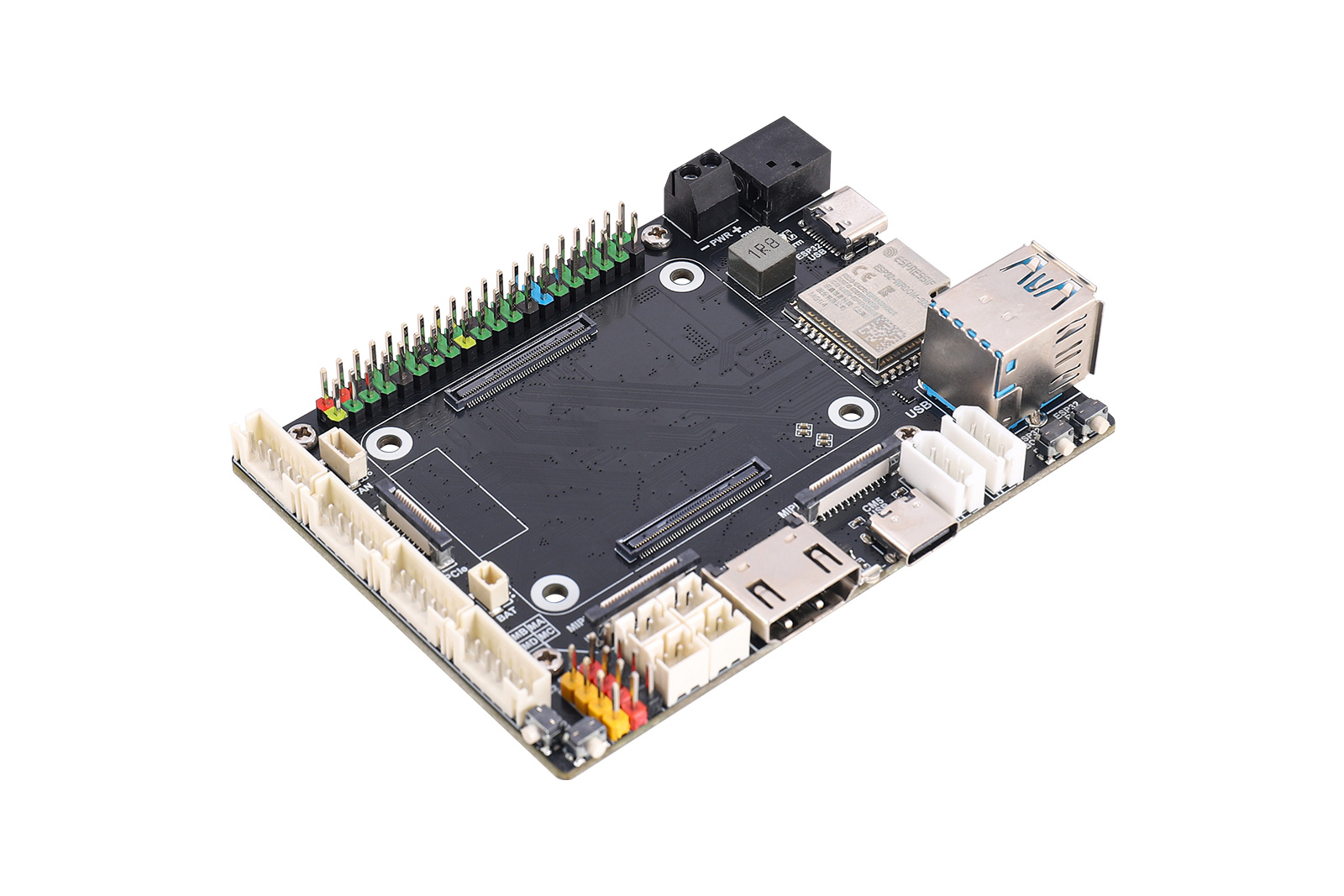
This product adopts a design combining the CM5 core board and ESP32 module, integrating a wealth of peripheral interfaces and functional modules. For video output, it supports 4K high-definition HDMI. For data transmission, it is equipped with dual USB 3.2 and PCIe interfaces, as well as dual MIPI camera and display interfaces. In terms of expandability, it provides the Raspberry Pi standard 40P GPIO and a complete motor drive ecosystem, including interfaces for motors with encoders, DC motors, digital servos and serial bus servos. The onboard QMI8658 IMU delivers high-precision attitude sensing, while the onboard ESP32 module enables wireless communication and drives various types of motors. Power supply supports direct input from a 12V battery or a 5V/5A Raspberry Pi adapter. It also comes with a fan connector, RTC battery connector and dual-function buttons, making it suitable for high-performance mobile computing scenarios such as robotics and embedded vision.
Ⅱ Product Features
- Onboard interfaces include a standard CM5 HDMI connector, dual MIPI connectors, dual USB-A connectors, a PCIe connector, a fan connector, a Micro SD card slot, and an RTC battery connector.
- The board features a Raspberry Pi 40-pin GPIO interface and a standard CM5 connector, supporting integration with Compute Module 5 Lite/eMMC series core boards.
- Equipped with an ESP32-WROOM-32 module, it supports wireless communication via Wi-Fi, Bluetooth, and ESP-NOW.
- Onboard one set of digital servo control interfaces, capable of simultaneously controlling up to 4 PWM servos, such as models 996R, 92R, 90S, etc.
- The board also provides motor control interfaces, enabling control of up to four DC motors with encoders or four DC motors without encoders.
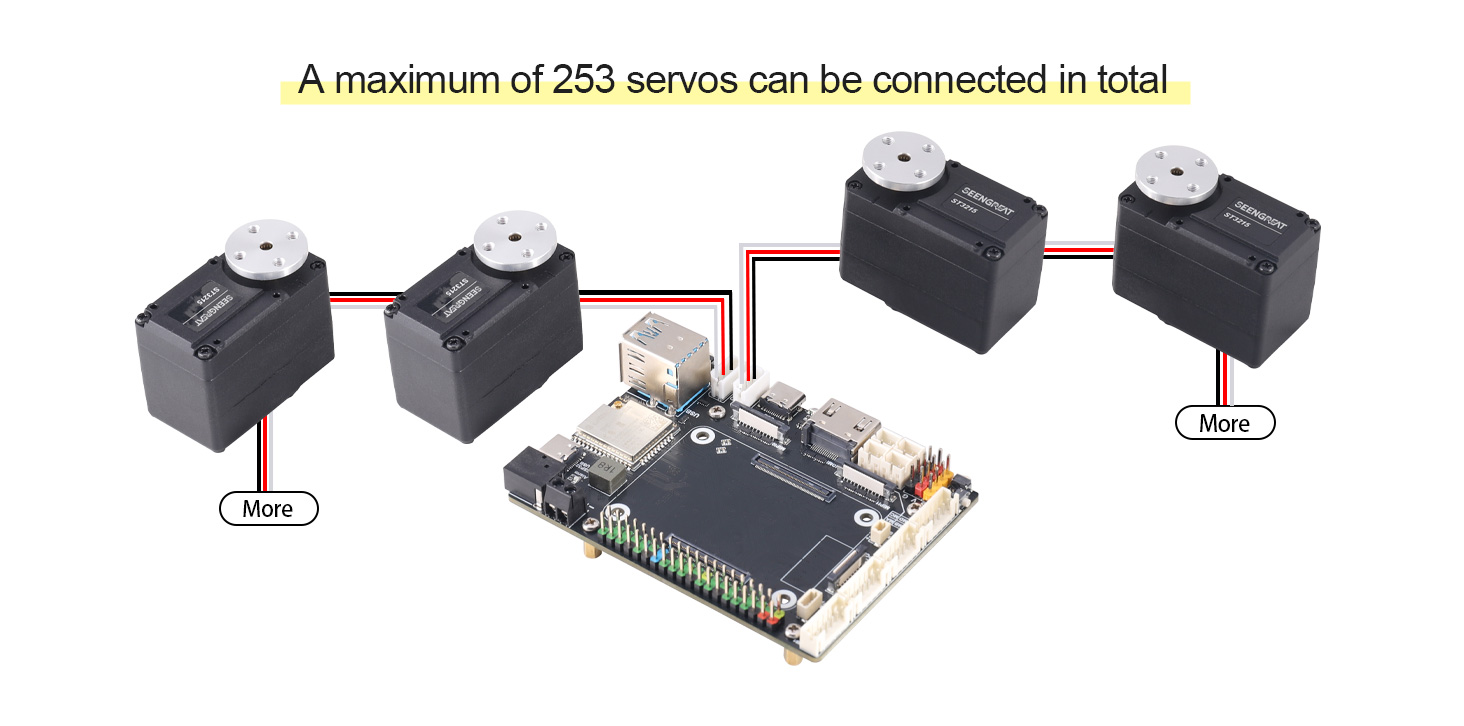
- Onboard two Serial bus servo control connectors, capable of controlling up to 253 bus servos and obtaining servo feedback.
- Features a six-axis IMU, the QMI8658, for real-time acquisition of attitude and heading information.
- Supports power input from a 9–13V DC power source or a 5V/5A Raspberry Pi adapter.
Ⅲ Product Parameters
Main Controller | CM5、ESP32(ESP32-WROOM-32UE) |
Power Supply Voltage | 5V/5A adapter or 9~13V DC power supply |
Connectors | Raspberry Pi 40PIN GPIO Interface |
16PIN PCIe (PCIe Gen2/3 x1) | |
Wireless Communication | WIFI,BLE,ESP-NOW |
USB | USB 3.2 Gen1 × 2(Type A) |
Storage | On-board Micro SD card slot (for versions without eMMC) |
MIPI | 2 × 4-lane MIPI Interfaces (22PIN 0.5mm FFC connector) |
Video | HDMI0 Interface, supports 4K output |
Motion Sensor | 6-axis IMU QMI8658A |
Fan | 5V,4P JST-SH PWM fan connector |
DC Motor with Encoder | PH2.0 6P (supports 12V motors, motor voltage matches DC power input voltage) |
Bus Servo | P=2.5mm 1x3P (supports 12V serial bus servos, e.g., STxxxx series) |
Digital Servo | 4 groups of 2.54mm 1x3P (servo supply voltage: 5V) |
RTC BAT | JST 2P connector |
Dimensions | 90mm x 67mm |
Rich Interfaces, All-in-One Board
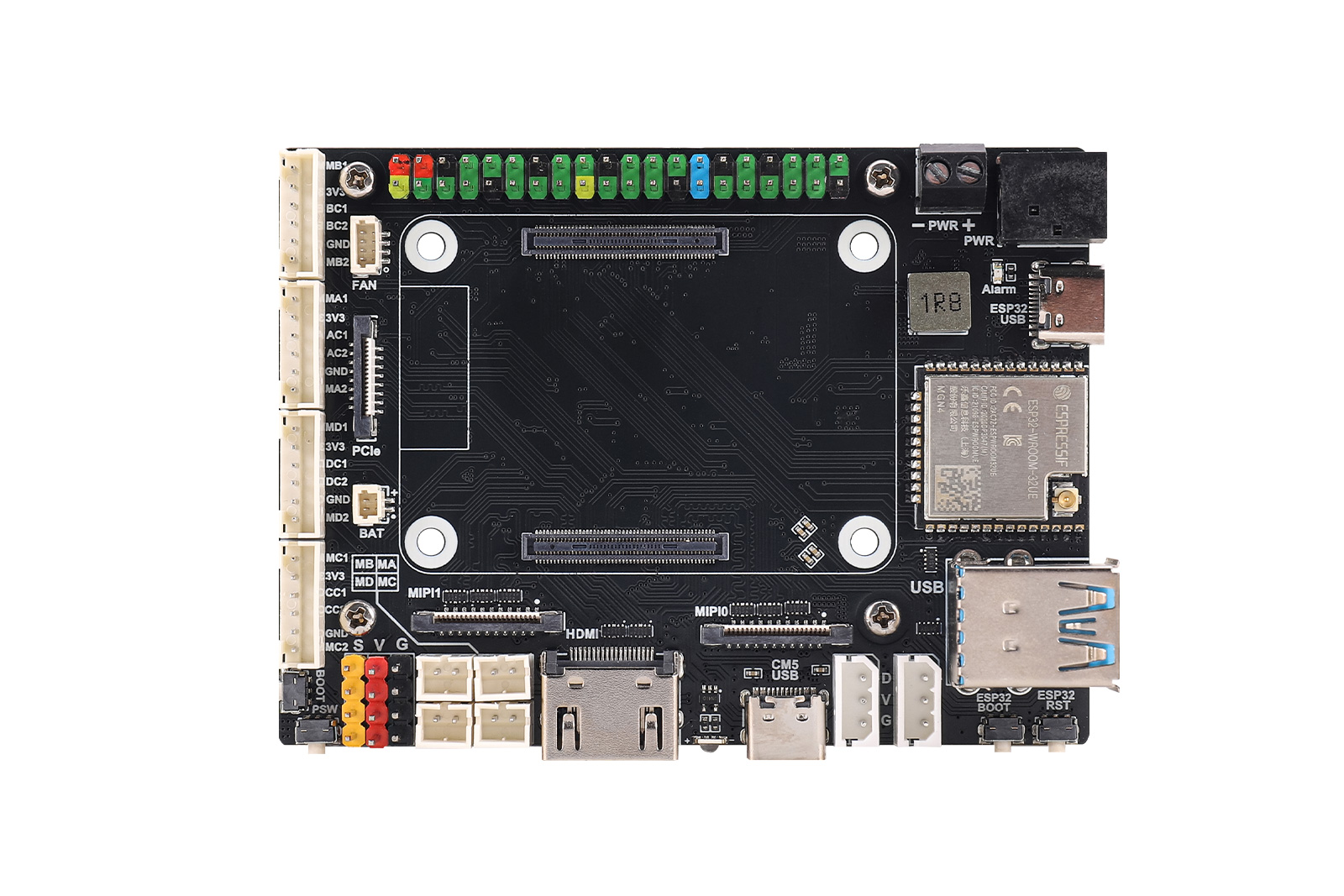
On-board dual MIPI camera interfaces, HDMI 4K output, PCIe expansion, USB 3.2, 40-pin GPIO, ESP32 wireless module, 6-axis IMU, motor driver interfaces, etc. Highly expandable.
Do not hot-swap any devices other than USB and HDMI when the system is powered on.
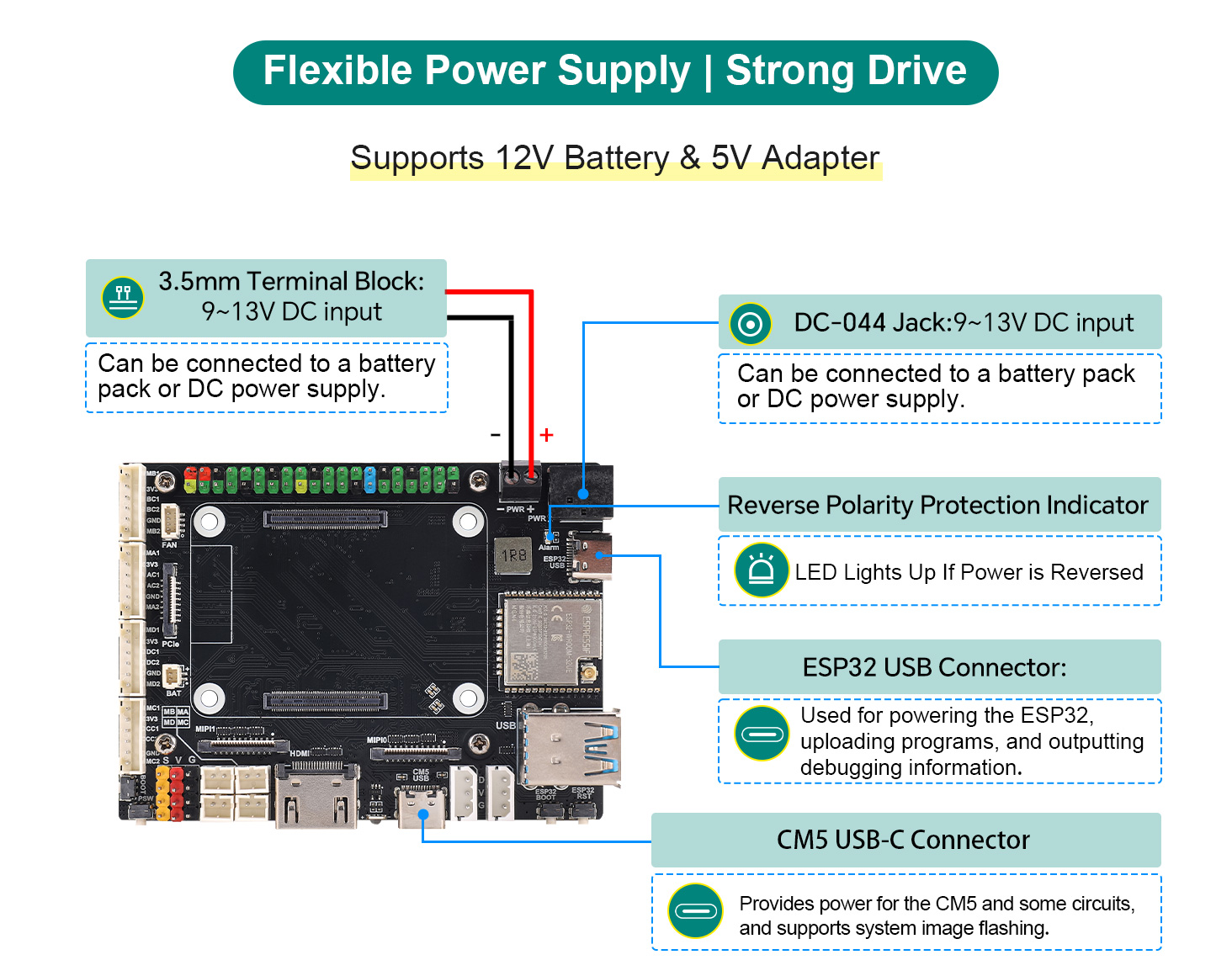
System Power Supply:
The board is equipped with 4 connectors serving as power input interfaces, namely the DC Power Input 3.5mm Terminal Block, DC Power Input DC-044 Jack , CM5 USB-C Connector , and ESP32 USB Connector .DC power can be input via either the 3.5mm terminal block or the DC-044 jack (only one connector needs to be connected). The voltage range is 9~13V, and this interface can withstand high power. The power supply directly powers serial bus servos and DC motors. It is recommended to select 12V-rated serial bus servos and DC motors to match the power supply specifications.
If serial bus servos and DC motors are not in use, the board can be powered via the CM5 USB-C connector, which also supports system image flashing for the CM5 (please refer to the product WIKI).
The ESP32 USB Connector is only suitable for ESP32 program uploading and debugging, and is not recommended as the power input interface for the entire board.
When the board is under heavy load, it is advisable to use a fully charged 12V lithium battery pack for power supply to prevent system shutdown or other issues caused by insufficient power during operation.
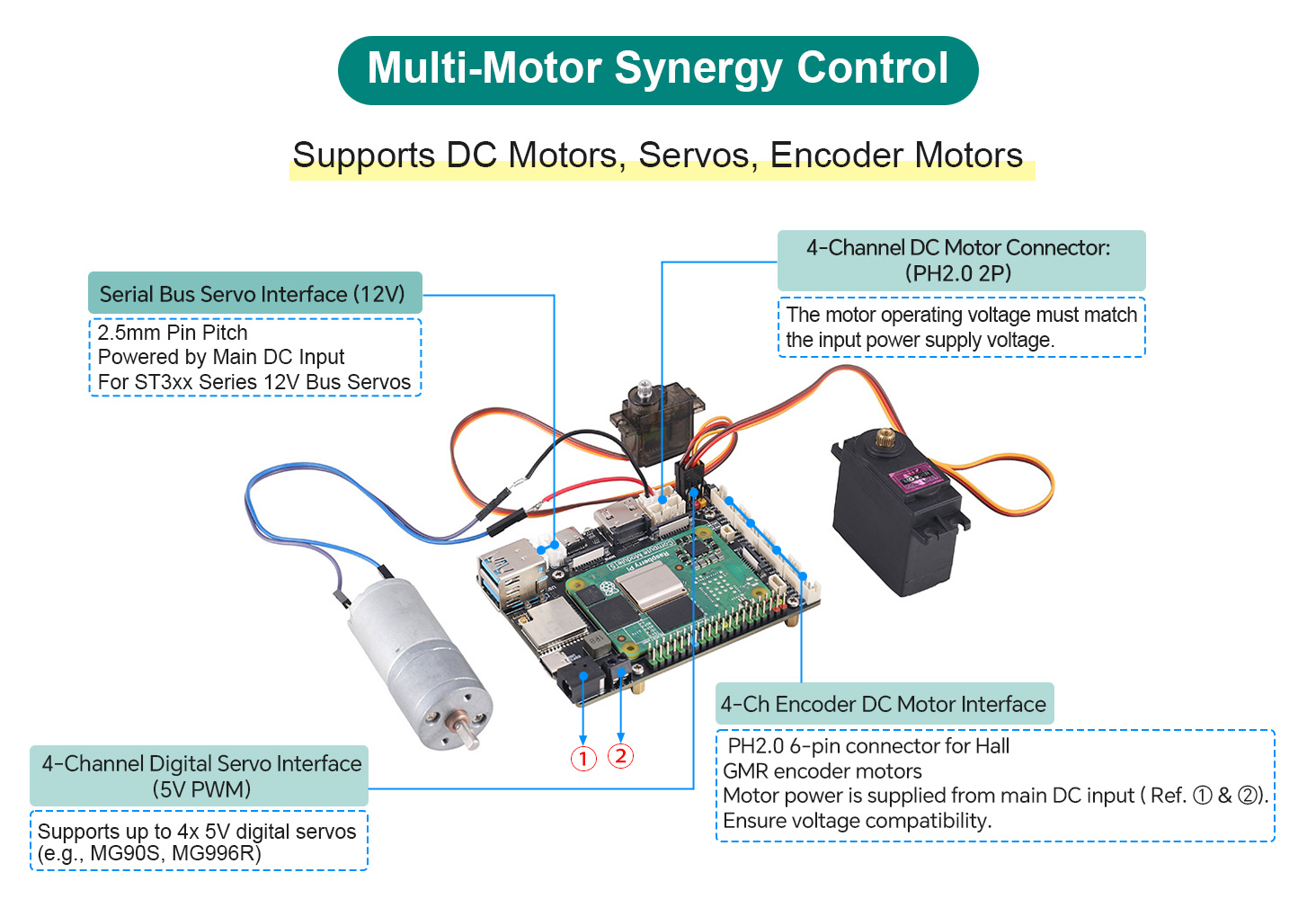
Can control 4 DC motors, 4 digital servos, and 2 bus servos (up to 253 units) simultaneously. Supports encoder feedback for precise motion control.
Ⅳ Resource Introduction
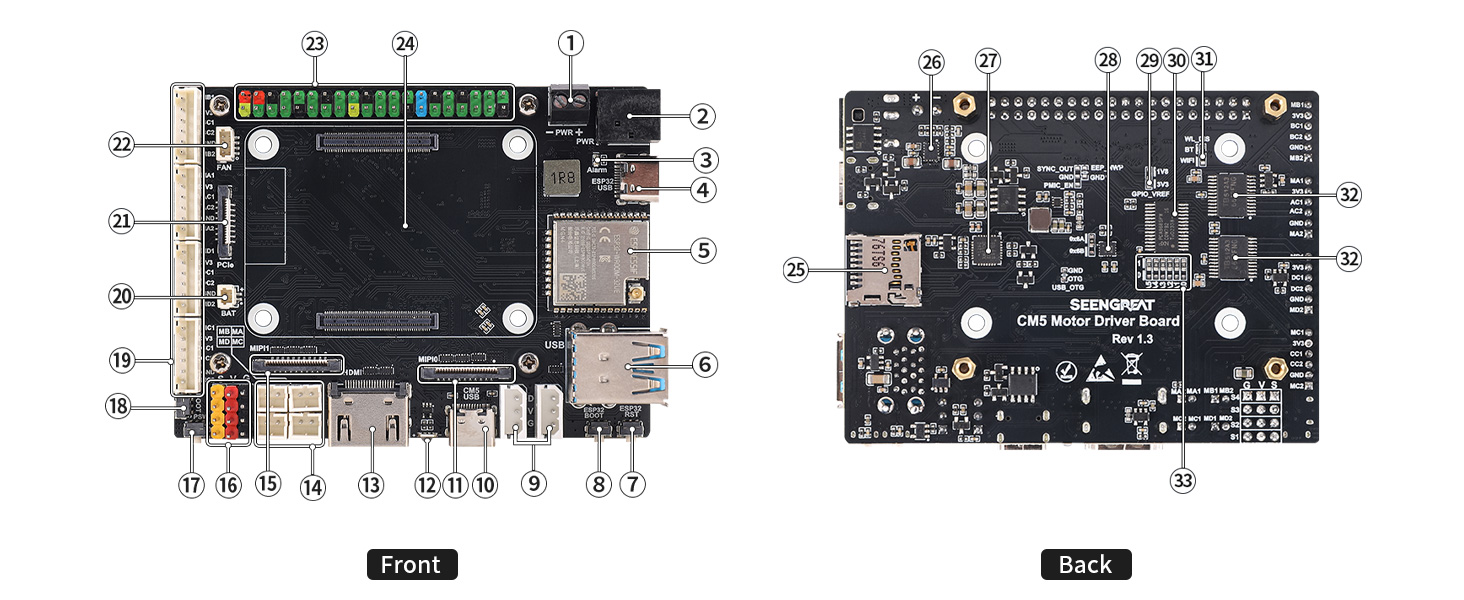
① DC Power Input 3.5mm Terminal Block: Input voltage range is 9~13V, compatible with 12V lithium battery packs or DC power;
② DC Power Input DC-044 Jack: Input voltage range is 9~13V, compatible with 12V lithium battery packs or DC power;
③ DC Power Reverse Polarity Indicator: Illuminates when the DC power input polarity is reversed;
④ ESP32 USB Connector: Used for powering the ESP32, uploading programs, and outputting debugging information;
⑤ ESP32 Module: Model is ESP32-WROOM-32UE;
⑥ USB3.2 Dual-Layer Type-A Female Connector: Supports connection of devices such as mice, keyboards, and USB flash drives;
⑦ ESP32 Reset Button: Resets the ESP32;
⑧ ESP32 BOOT Button;
⑨ Serial Bus Servo Interface: Pin pitch is 2.5mm. The power supply Pin "V" adopts the voltage from the DC power input (see ① and ② in Figure 4-1). It is recommended to use 12V serial bus servos, such as the ST3xx series;
⑩ CM5 USB-C Connector: Provides power for the CM5 and some circuits, and supports system image flashing;
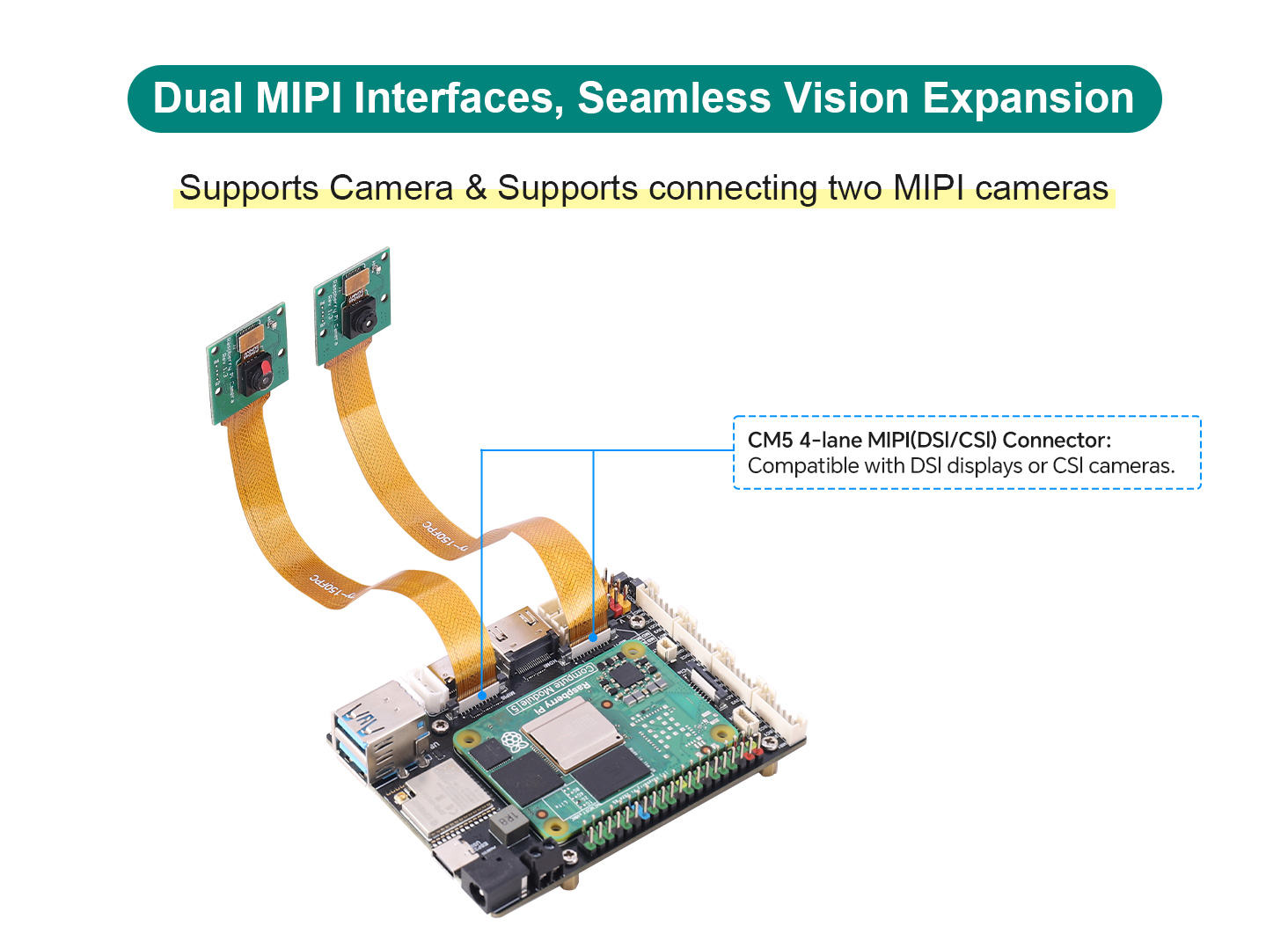
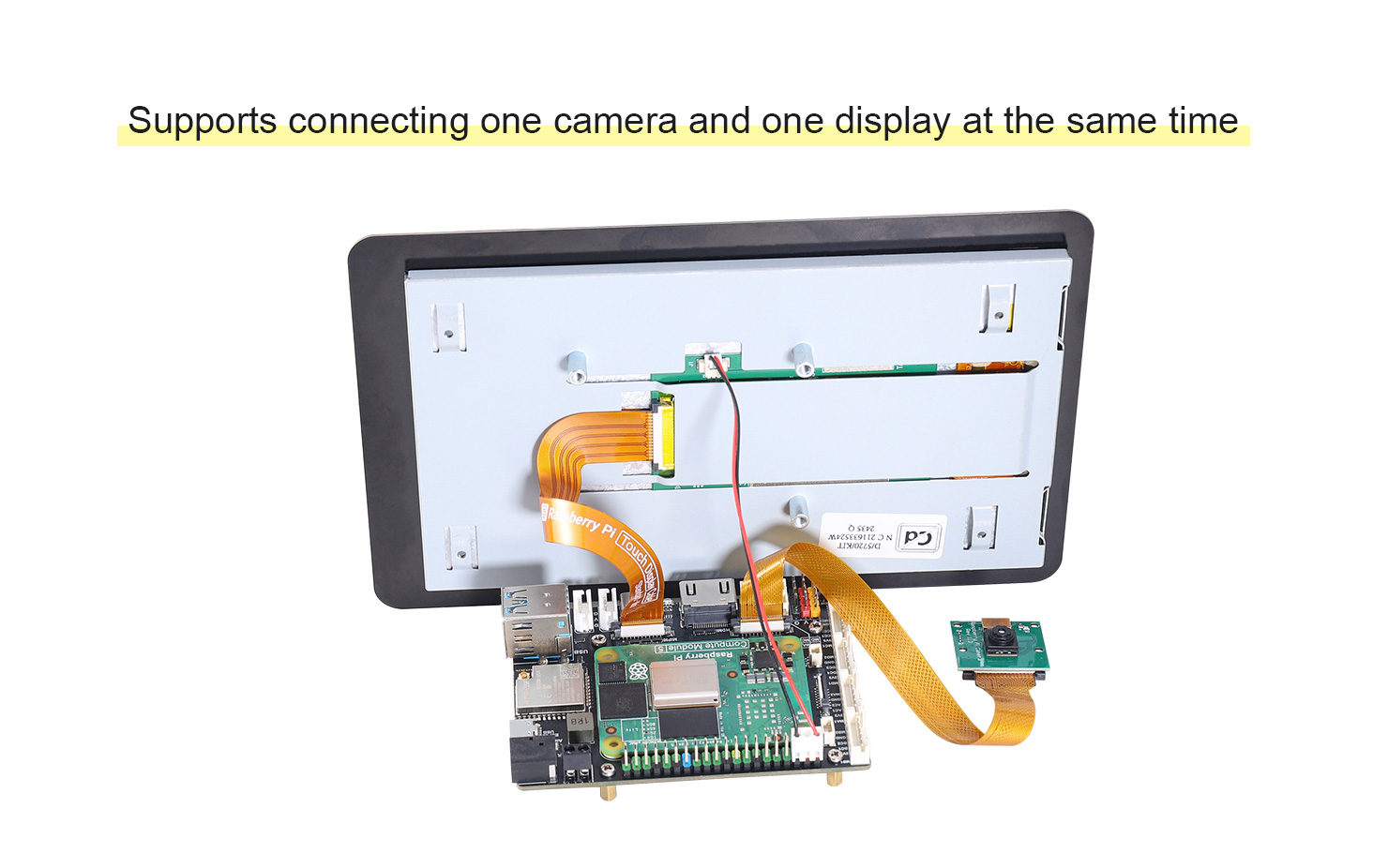
⑪ CM5 4-lane MIPI0 (DSI/CSI) Connector: Compatible with DSI displays or CSI cameras;
⑫ CM5 Power Status Indicator: A dual-color (red and green) indicator with the same function as the red and green LEDs on Raspberry Pi 5;
⑬ Full-size HDMI 2.0 Connector: Connects to HDMI displays and supports 4K output;
⑭ 4-Channel DC Motor Connector: Pin pitch is 2.0mm. The motor voltage is supplied by the DC power input (see ① and ② in Figure 4-1). Users should ensure the motor voltage matches the input power voltage when using DC motors;
⑮ CM5 4-lane MIPI1 (DSI/CSI) Connector: Compatible with DSI displays or CSI cameras;
⑯ 4-Channel Digital Servo Interface: Supports up to 4 units of 5V digital servos, such as MG90S and MG996R;
⑰ CM5 Power Button: Functions the same as the button on Raspberry Pi 5. A short press brings up the shutdown menu, and a long press again turns off the system. A long press forces shutdown, while a short press restarts a powered-off device;
⑱ CM5 BOOT Button: Press before power-on to force boot via USB for system image flashing (useful if the eMMC is damaged);
⑲ 4-Channel DC Motor Connector with Encoder: PH2.0 1x6P, compatible with DC motors equipped with Hall encoders or GMR encoders. The motor drive signals are shared, and the motor voltage is supplied by the DC power input (see ① and ② in Figure 4-1). Users should pay attention to the power voltage when using DC motors;
⑳ RTC Battery Connector: Functions the same as the RTC battery connector on Raspberry Pi 5, allowing connection of an RTC battery to the CM5;
㉑ CM5 PCIe Connector: Functions the same as the PCIe connector on Raspberry Pi 5, supporting expansion boards such as SSDs;
㉒ CM5 Fan Connector: Complies with the pin definition of the Raspberry Pi 5 fan connector. Thus, any fan suitable for Raspberry Pi 5 can be used;
㉓ Raspberry Pi 40-Pin HAT Connector: Has the same GPIO pin functions as the 40-pin header on Raspberry Pi 5;
㉔ CM5 Module Connector: Used for installing the CM5 module;
㉕ microSD Card Slot: A push-type slot, only applicable to the CM5 Lite module;
㉖ DC-DC Chip TPS543820: Converts 12V input to 5V output;
㉗ USB-to-TTL (UART) Chip CP2102: Used for ESP32 program uploading and debugging information output;
㉘ QMI8658A: A 6-axis motion sensor that provides 6-axis motion data of the board;
㉙ CM5 GPIO_VREF Voltage Selection Jumper: Supports 3.3V and 1.8V, with 3.3V as the default;
㉚ PCA9685: A 16-channel PWM output chip. The generated PWM signals are used to drive 4 digital servos and 4 DC motors;
㉛ WIFI and BLE Disable Resistor: Soldering a 0Ω resistor disables these functions;
㉜ TB6612: A motor driver chip that drives 4 DC motors in total;
㉝ PCA9685 Chip I2C Address Setting Resistor;
Product Size
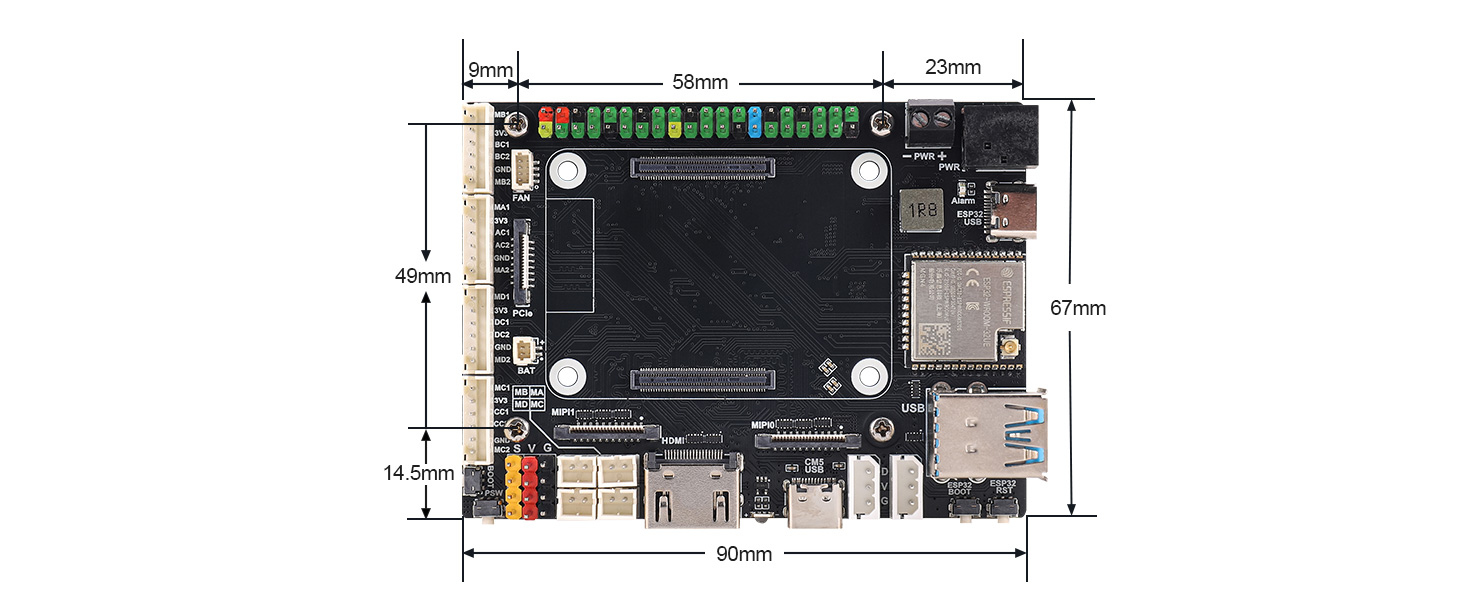
WIKI:https://seengreat.com/wiki/197/
Package Contents
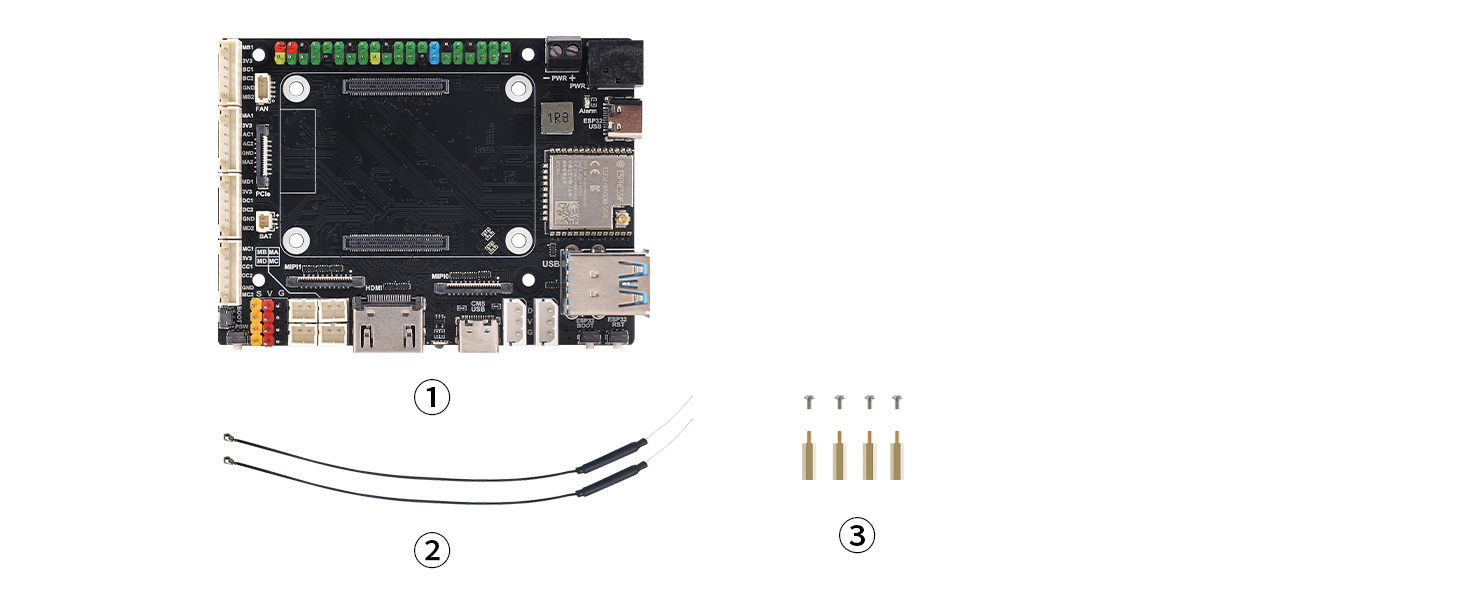
1. CM5 Motor Driver Board Module ×1
2. 2.4G Antenna x2
3. Set of Copper Standoffs x1