
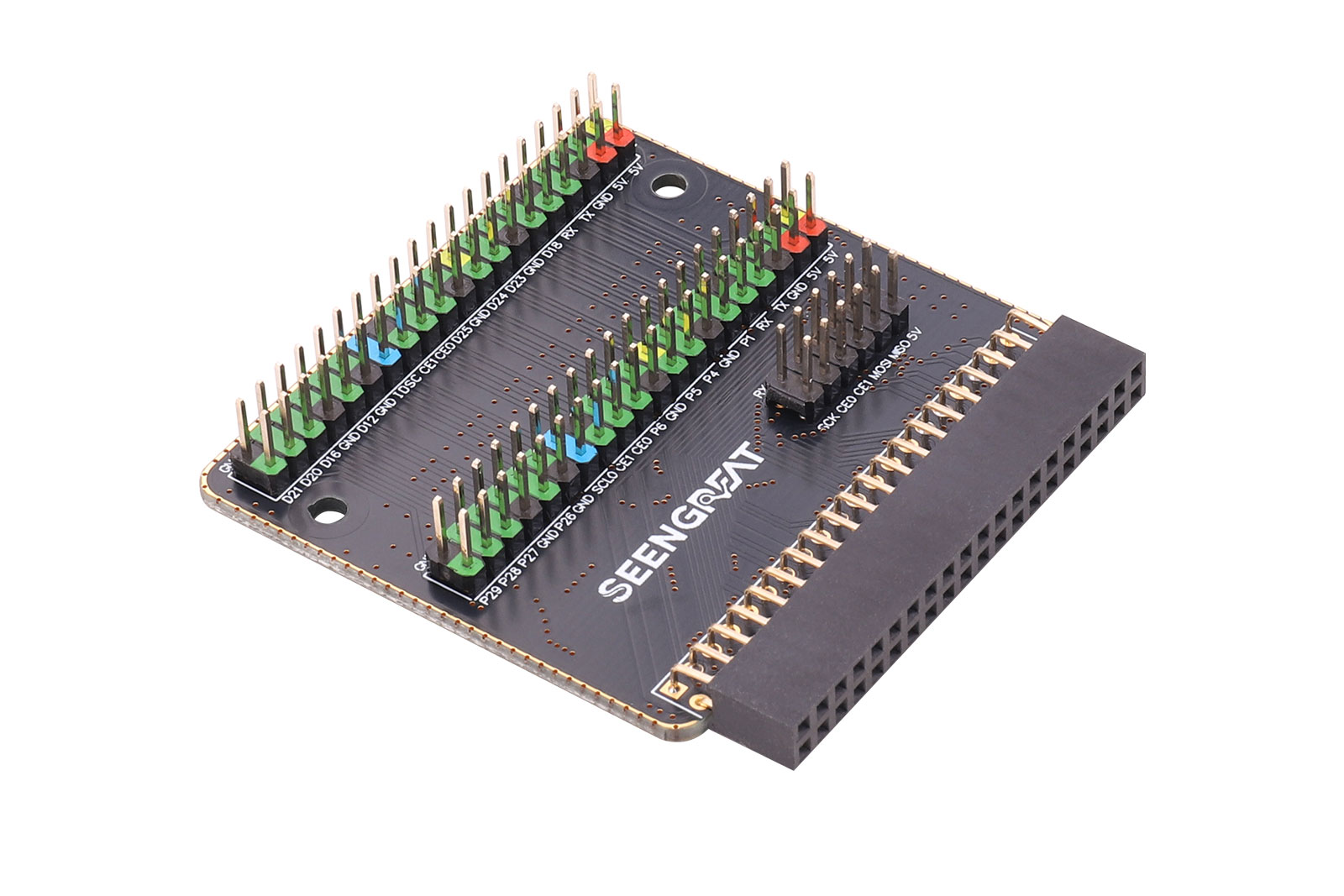
 1、Product Overview
RPi PX00 Expansion B 40-Pin Dual-Row GPIO Expansion Board (for Raspberry Pi X00 Series)
RPi PX00 Expansion B is a GPIO expansion board designed specifically for the Raspberry Pi X00 series. It extends two sets of 40-pin GPIO headers from the host board, making it easy to access sensors, external modules, HATs, and jumper wiring. With simple installation and solid mechanical support, it improves expandability and project flexibility.
2、Features
- Dedicated fit design: Designed for the Raspberry Pi X00 series, perfectly aligning with the GPIO header position for a secure installation and reliable connection.
- Full 40-pin dual-row breakout: Keeps the standard Raspberry Pi 40-pin GPIO pinout and breaks it out to dual-row headers, supporting common interfaces such as GPIO, I2C, SPI, and UART for diverse expansion scenarios.
- Convenient expansion: Brings the GPIO headers to an easy-to-access location for sensors, expansion modules, or cables, avoiding crowded wiring and poor contact.
- Easy installation: Compact design for quick mounting on Raspberry Pi X00 without complex tools. Includes a screw kit for secure fixing and good compatibility for desktop or enclosure use.
3、Specifications
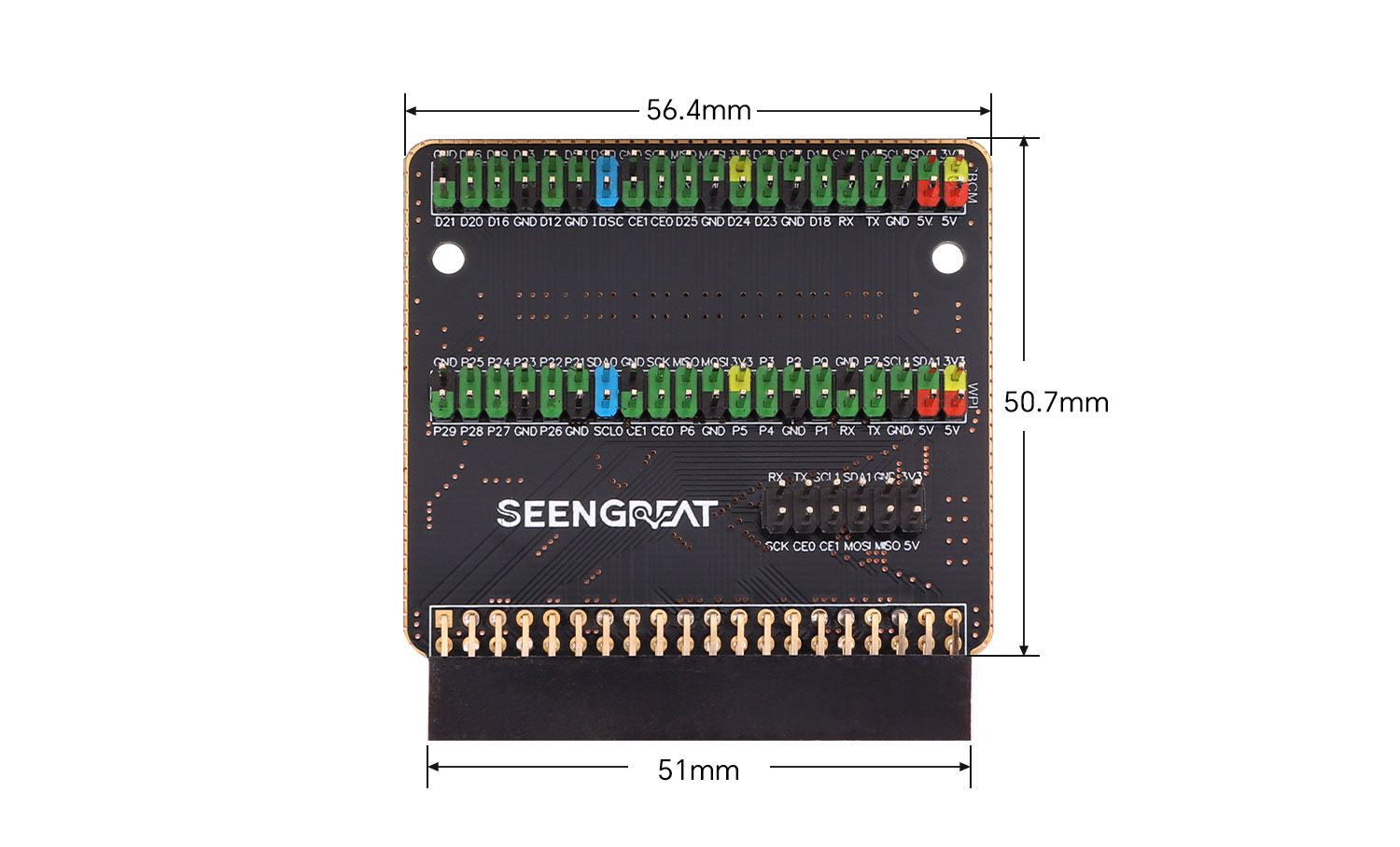
Dimensions | 56.4mm(Length)x 50.7mm(width) |
Mounting hole | M2.5 |
4、 Usage
4.1 Resource Overview
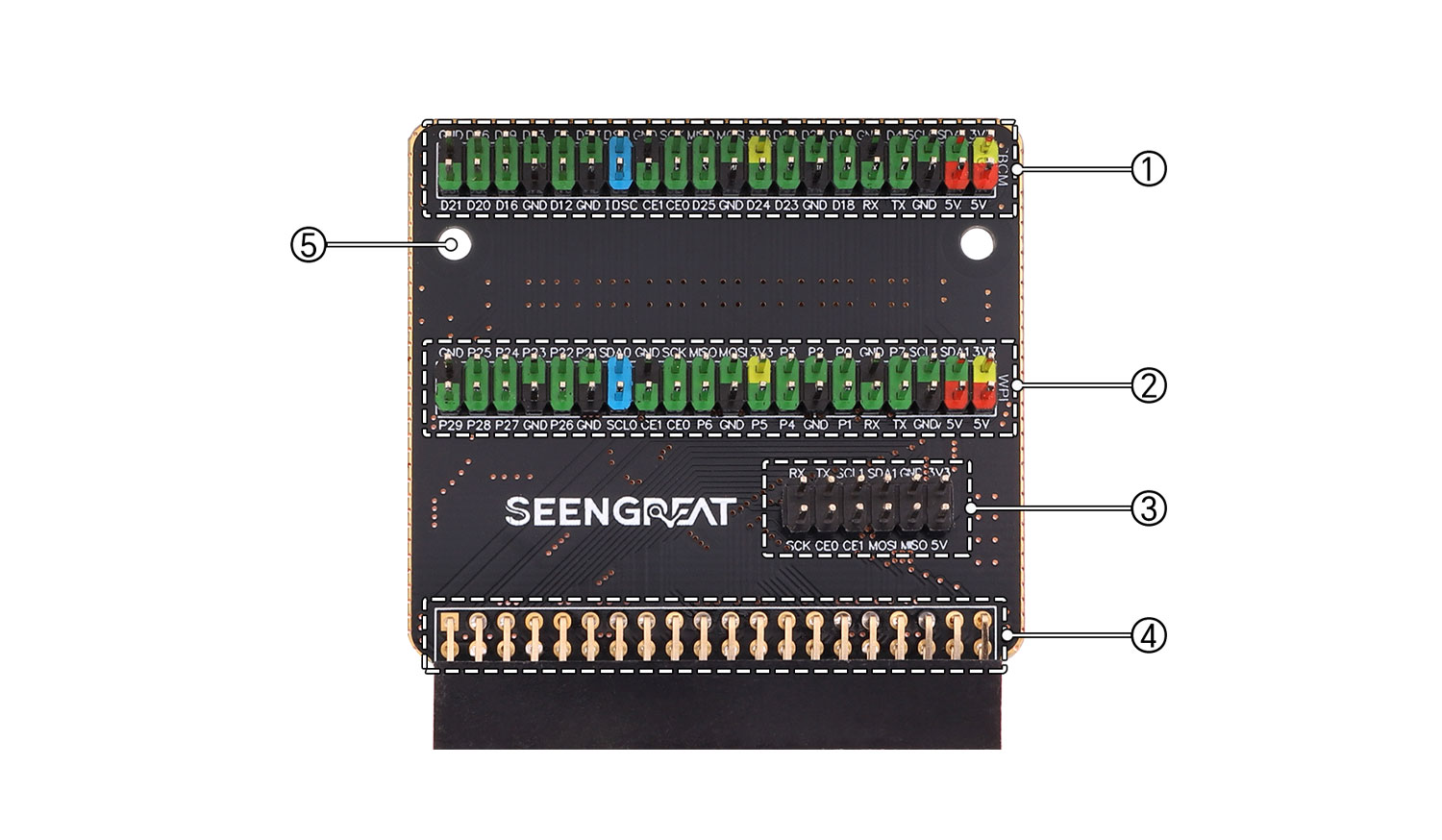
① Raspberry Pi 40-pin GPIO extension header (BCM numbering silkscreen)
② Raspberry Pi 40-pin GPIO extension header (WiringPi numbering silkscreen)
③ Common GPIO breakout pins
④ Raspberry Pi X00 40-pin connector
⑤ M2.5 mounting holes
4.2 Hardware Description
The 2×6-pin header on the board breaks out a set of commonly used signals according to the pinout diagram. The 40-pin header mapping is consistent with the Raspberry Pi GPIO pin numbering.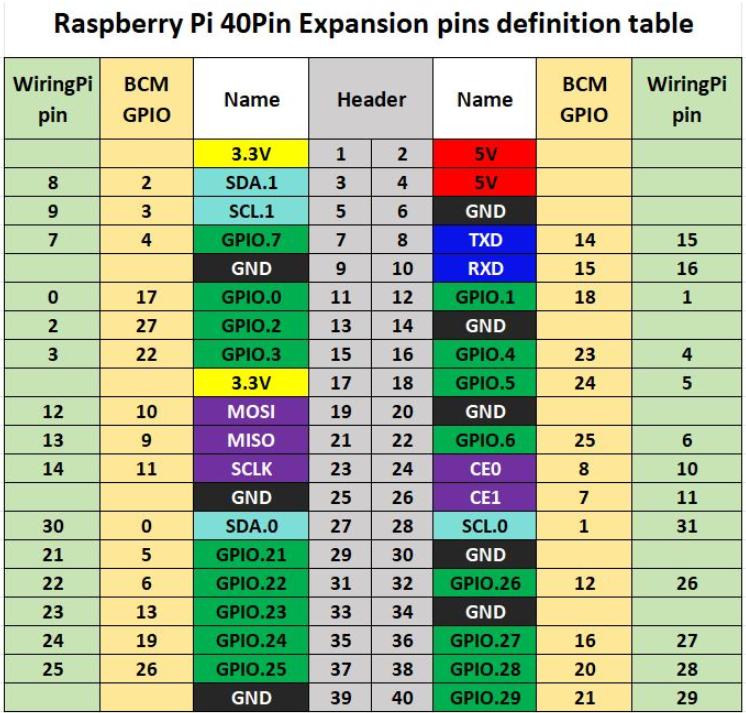
4.3 Installation
1. Locate the GPIO connector on the Raspberry Pi X00 The GPIO connector of the Pi X00 is located at the rear of the unit. It is a flat gold-finger edge connector.2. Align the expansion board connector The gold-finger plug on the expansion board corresponds one-to-one with the GPIO interface on the back of the Raspberry Pi X00. Make sure the orientation is correct (typically with the text on the expansion board facing up).3. Insert and secureInsert the expansion board evenly into the GPIO connector of the Raspberry Pi X00.
Use the screws included in the package to fasten the expansion board to prevent it from loosening or falling off.